Wyze App Update!
We have a small app update with some minor bug fixes today.
Read our Release Notes:
Wyze App Update!
We have a small app update with some minor bug fixes today.
Read our Release Notes:
Updating my Android Device now
EDIT
Updated Successfully. So far everything is running as expected with no issues found.
on my Cam V4, it was working without issues. I thought the individuals having issues was related to the Cam Pan v4. No?
Nope, it’s two separate issues, as I understand it.
You are correct. I personally have no issues with Timelapse. However, I am running FW 4.52.9.4188 with Plugin Version: 3.7.0.17
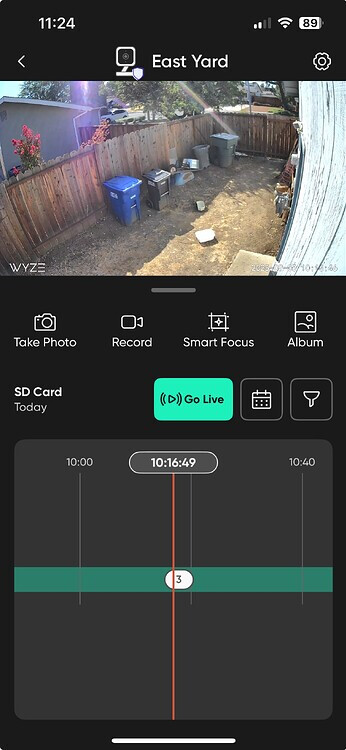
Can anyone with a cam v3 and Android tell me if the new UI is active on the Live View and Playback screens?
The Live View (with recent Events below) will be usable/useful for my purposes but not the Playback (new vertical timeline.)
I think I won’t be updating into future app versions to avoid the Playback screen update. It’s a shame, because I’ve enjoyed staying up to date with other app new features.
I am on Android and have 4, v3 cams and I see the new UI, I can see the live view but not see the playback button, like it is missing. I have searched for viewing playback and I get prompted to get cam plus for playback views. Maybe I am not looking for it correctly. can anyone else confirm?
There’s no “Playback” button in the new UI; look for the “SD Card” icon just below the live view.
Ok, strange now my camera is not in continues recording to the SD Card. I have to press record but if I exit it says it will stop recording, I guess no more continues recording in the new version?
Hi, yes. I got it to work by formatting it. I had continuous set to on before the update went through, I did double-check to make sure it was on, Now the issue is that after formatting it is records for a few hours and stops recording. My SD Card is made for wyze cam and it is a 128gb card. Just finished checking and the recording from yesterday is even missing. I did order a new SD Card, just in case it might be the card.
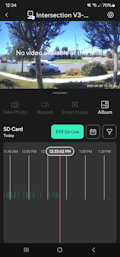
Mine is horizontal.
On iOS is horizontal on mine but vertical on @Antonius’s, go figure 
Yes, that is the new UI, similar to the new cameras. I doubt it has anything to do with me being in the 51st state 


 Recommended

 iOS app.

