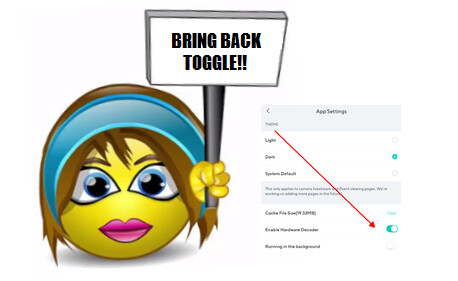
You found it! Good work.
Wyze Intelligence? Is that an oxymoron? 
You found it! Good work.
Wyze Intelligence? Is that an oxymoron?
I noticed mine is turned on also when I thought it was off. Can’t turn it off? I haven’t tried.
I wasn’t sure what the latest guidance was. I have a new and powerful phone.
Maybe @Seapup knows?
You’ve got it and you don’t want or need it?
@ronl4625 said some cams have it in their settings page, but not v3, which is what I have.
My frog powers are flagging. Starting to remember things from early childhood too vividly. 
Throughout the app or just those on the Favorites tab? The Fav tab connectivity is a little better for me. But not nearly as good as when Hardware Acceleration was enabled. 
Yes, the “Favorites” tab. I seldom use the “Devices” tab now.
Maybe your rewind button is stuck. 
Trying to figure out if I need it or not. I didn’t think I needed it in the past.
Correct. Not on V3 but is on V4. Also not on OG or V2.
I see the “Enable Hardware Decoder” toggle in the V4’s “Advanced Settings”, but not in “App Settings”
The V3 doesn’t have the toggle, either.
Edit - the toggle is also present in Floodlight V2 and pro, and battery Cam Pro…
It’s well worn. 
I have a valid unlimited license.
I can no longer receive live streams from my camera while using the docker bridge.
MUST I PAY YOU EVEN MORE MONEY TO GET THIS WORKING AGAIN ?
You are now responsible for any security problems in and around my home.
WHAT A TERRIBLE COMPANY.
What solutions did support have to offer?
What troubleshooting steps did you take?
I didn’t realize Wyze supports Docker Bridge.
Remember, this is a user to user forum.
Since updating to this version cameras in live view constantly disconnect every 6-9 seconds with error -2147483648. Was fine before this update on android 11 tablet.
V 3.3.5 (623)
If Wyze couldn’t be bothered to test its software releases, it follows it wouldn’t test its programming interfaces (APIs), either. I haven’t tested my own Wyze bridge, but judging from the outcry on the net, I’m sure the recent app release broke it. There must have been unannounced server changes for the APIs to get broken.
By definition, an API is a “software contract”. Wyze looks like it doesn’t believe this.
@pd1,
The only time I’ve seen non-sensical error messages.
Everything has been working great for 9 months now. All updates included.
Recently receiving lots of
“” failed to connect error code -2147483648 “”
On multiple V3, OG cams I have
This started around the same time as the most recent App update
3.3.5.623 (February 20, 2025)
Nothing has been changed on my home network.
Today I checked to make sure, nothing has changed wirelessly with more users in the area where i live, to see it any new wireless devices are on th same channel locally.
I changed my Network Wireless ID to test if this was the case.
It’s not
Still receiving lots of failed to “connect error code -2147483648”
When viewing the Group of Cams
This connection error recently started happening around the same time as app was updated?
This may or not be related.
This was observed on a Samsung s21 ultra and a brand new s24 ultra.
P. S. Read the whole thread, especially the screen shots.