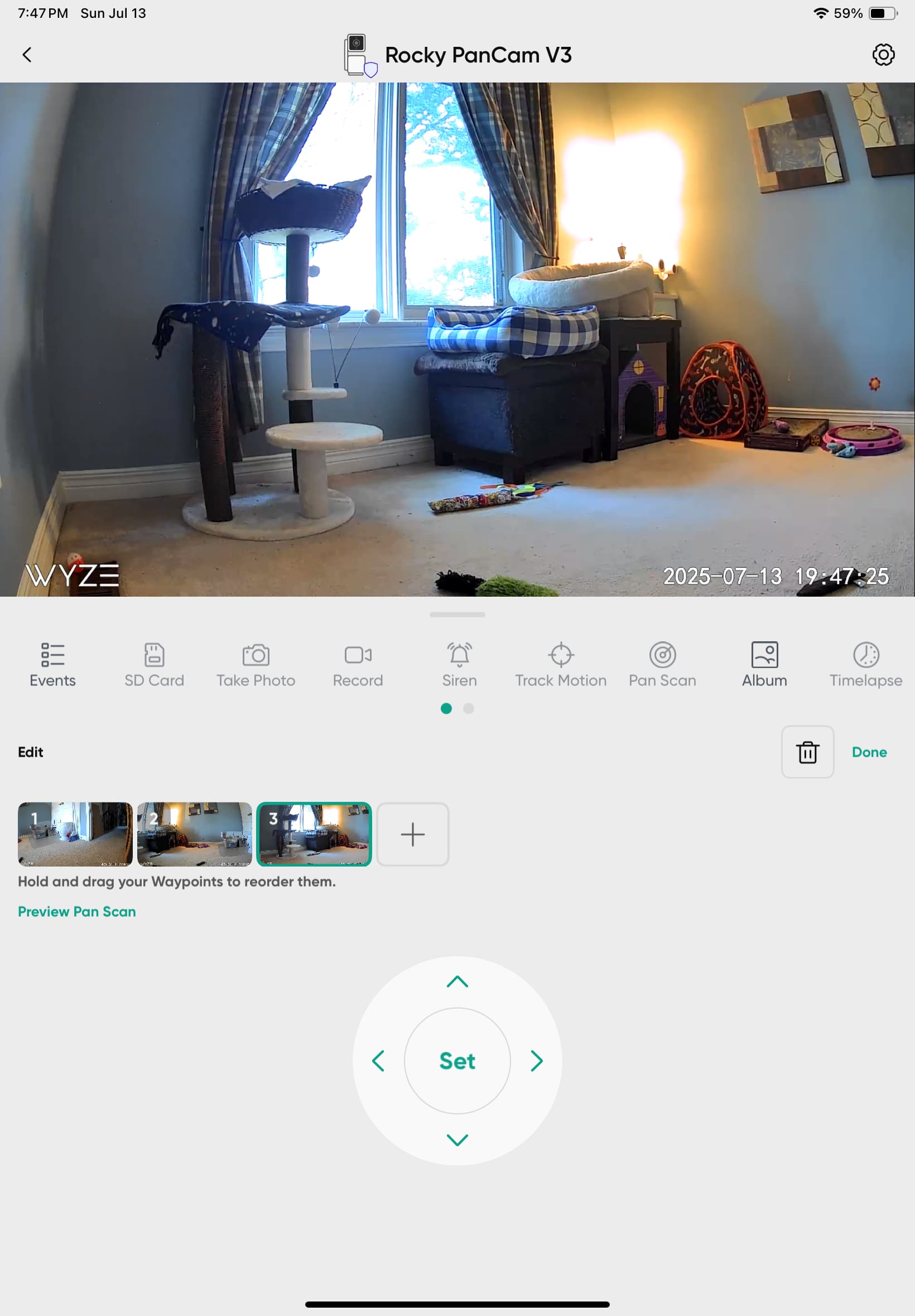
Aside from the camera still not sticking to the waypoints (camera drifts over a week or two and needs to be reset), the newest issue is the SET icon for setting waypoints doesn’t work with a tap. I literally have to tap
, tap/hold, tap/tap/tap about 20 times to get it to accept the SET. I’m using app on my iPad. I deleted camera and then added it back. Still not working properly.
Of all the various Wyze cams I own (10+), this is the worst cam from Wyze. The drifting is annoying enough, but this recent issue of not being able to quickly SET the waypoints back to where they sb is super frustrating.
Hoping others have seen this and can suggest how to fix this.
A couple of months ago they updated the interface. Any waypoint created using the older app no longer works right in the current app. If you delete them and re-create them (can do one at a time so you get the exact same spots) in the new app, they’ll start working again. But note they will no longer work right in older versions of the app once you do that.
Do you mean the way waypoints are set? They changed the procedure slightly in the later app versions. I remember I initially couldn’t do it right, either.
I use arrows to get the waypoint view I want. Then I tap the SET icon over a dozen times or more to get it to fade to confirm it’s set. I should only have to tap it once.
The sequence to edit a waypoint:
• make sure you’re in pan control mode (not events)
• tap the pencil icon
• select one of the 4 waypoints
• use the arrows to fine tune camera aim
• tap “Set”
• tap “Done”
I just tried to slightly change one of my waypoints on one of my Pan V3 cameras using the steps described by p2788deal above. Worked perfectly the first time on my Android. Since you said you were doing this on an Apple product, I tried it on my #$%^&* iPhone. Worked OK on that too.
Based on the comments here, may want to try clearing the cache in the app and in your OS. Or maybe even uninstall and reinstall the app. That has fixed various glitches related to the 3.x app in the past for me on android (reinstalling, not just clearing cache).
I believe the option is in there, but try just uninstalling and reinstalling the app completely. You’ll have to log in again and grant permissions, but most other settings should stay.
Yes to clear cache on iPad it’s to delete the app. I’ve done that 3 times now. I will have to live with doing the 30+ taps each time to SET waypoints as they drift over time.
Thanks for your suggestions. It’s my least fav Wyze product and I can just add this issue to the list LOL
You do not need to do this. Reboot the cam or go into motor controls in the cam settings and hit reset. I have mine reboot once a week, but if your drift is more problematic you can do it daily, or every few days, etc. That will put your waypoints back where they’re supposed to be, it recalibrates the cam and gets rid of any “drift” that has happened.
Changing your waypoints will actually be counter productive since when the cam does reboot or reset, all your waypoints will be off again. All you need to do to get your waypoints back where you want them is recalibrate the motor, which either of the above will do.