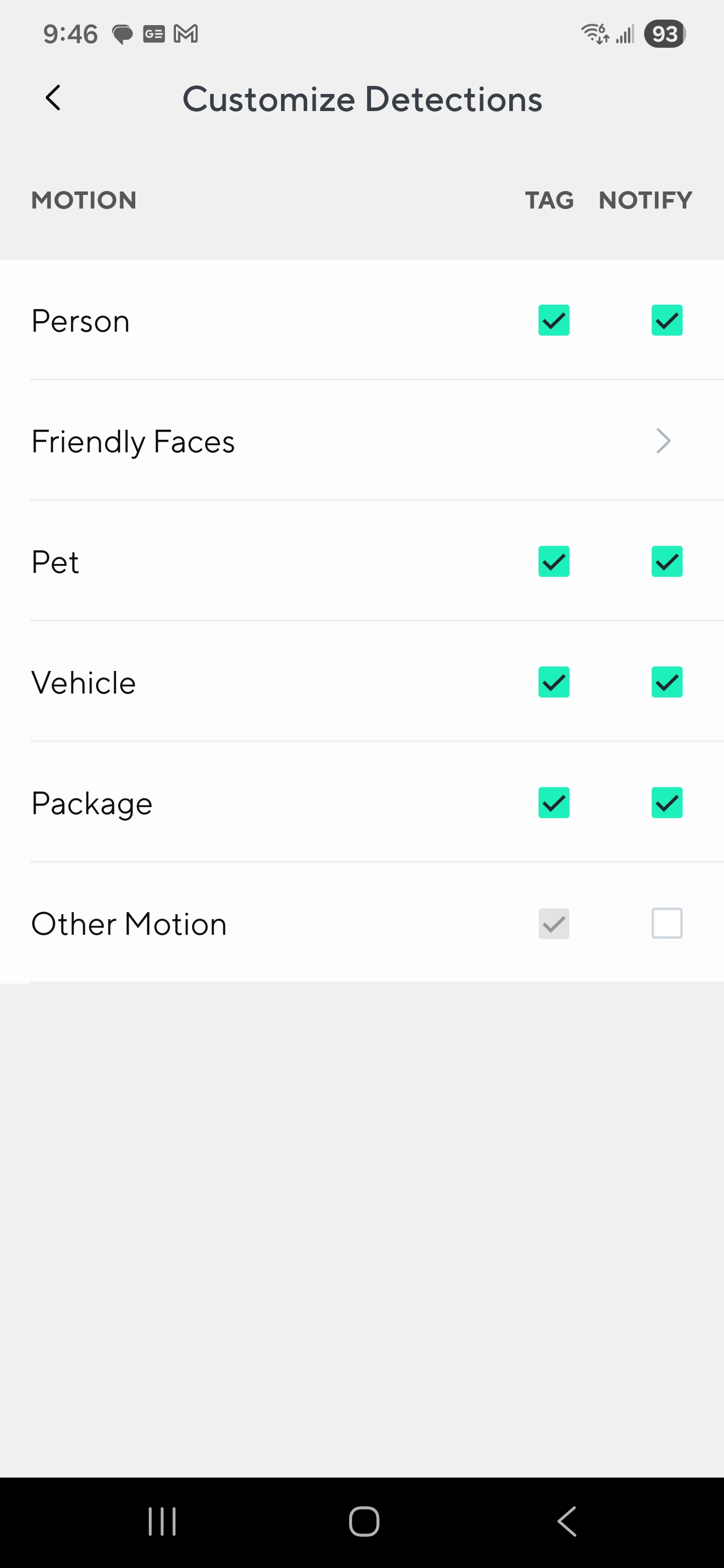
For the past week or two I have not been able to receive any tagged events on my bulb cam.
Firmware version of the cam: 21.1.3.0897
App Version (Android): 3.8.0 (715)
My Cam Plus subscription is associated with the camera.
My Wyze Cam v3 is setup almost identical. It is tagging events properly and I get notifications for them.
Things I have tried:
Soft restarting the camera
Hard power cycling the camera
Resetting Services
Turning off the detection zone
Switching between smart detection and all events
Toggling all of the customize detections options
I have “Motion Tagging” turned on in the Detection Settings. “Camera sensitivity” is set to medium, “Record events triggered by motion” turned on. “Recording preferences” is set to “All Events”.
All of the recordings from that camera are tagged as Motion detected. If I enable notifications for “Other Motion”, I do get notifications for them. So that tells me that notifications are working properly, but the tagging isn’t.
If they’re being tagged as motion it is having trouble identifying the objects. Might be connectivity related (wifi or internet) or maybe some glitch with firmware, did it get any updates around the time it started?
A reset/repair of the cam might potentially help, but that’s just a shot in the dark.
The signal strength shows -64. I haven’t had any issue accessing the camera with my phone, so I don’t think that is the issue. I am not sure when the firmware was updated. I have it auto-updating. How can I see when it updated to the most recent version?
I have done a restart and reset. My last option is to do a full factory reset, but I’d rather hold off on that before I rule everything else out.
-64 can be borderline, it depends on the wifi environment in your area, that may be perfectly fine for some and unusable for others. But strength is also not a good indicator, as a strong signal with no available bandwidth is also useless.
When you view the feed from the camera away from home (or with the wifi on your cell phone shut off) is it smooth and stable? If it is, in theory uploads for image recognition should be fine. If there is lag or choppiness that could be your issue.
You can check the firmware of your cam and then compare it to the release notes page, but that won’t necessarily tell you when it updated. However in general it would have happened around the time the firmware was released. The most recent firmware (21.1.3.0897) was released on September 17th, so I’d expect your cam to have updated sometime within a few days of that if auto updates are on.
Bandwidth shouldn’t be an issue at all. Viewing the feed from my phone with the WIFI disabled seems fine. No lag.
I am on the most recent firmware, but I can say that the last time people or pets were tagging properly on that camera was on October 10th. That seems like a long time from September 17th. I don’t know how often the cameras check for updates, but that feels like along time from when it was released.
From personal experience, Wyze has changed something on the back end. I have six cameras on Cam Lite and one on Cam Plus, they all tag/record motion constantly for the past couple of months or so. My events tab is full of motion tags that now I have to constantly use the filter to eliminate motion events and view person only. It wasn’t like this before.
Looking at the Events tab in the Android app (3.8.0.715) filtered for a couple of Bulb Cams (firmware 21.1.3.0897), I’m seeing events tagged for Vehicle, Person, Pet, and combinations thereof with a couple tagged for “Motion” today. The only real difference that immediately occurs to me at this point is that those are both attached to a Cam Unlimited subscription, but if you’re certain that your Cam Plus plan is associated with your Bulb Cam and you’ve tried Reset Services in Settings, then I think you’re doing the right things. What did Support say when you contacted them?
If you totally disable motion and leave only the 3 smart detections does it then start tagging them correctly? I’m wondering if it is just picking whichever one is “fastest” and using that tag or something.
Seems it is having issues identifying objects for whatever reason then. Keep in mind that cam has a fisheye lens in it, so it won’t be able to identify things as accurately as some other cams - they’ll need to be closer and better lit than one of the cams with less field of view.
Though if you’re saying it won’t even identify you when up close, seems like something other than the wide angle lens is a problem.
Can you test it inside in a light socket closer to your router and see if it picks you up more consistently? Would help eliminate one possible cause at least.