I have five different cameras. Every so often they go out all at once. They go out despite the power being on. They go out despite the fact that I am in the middle of streaming a movie and my internet’s doing just ducky. They go out despite the fact I have cleared the cash. Rebooting them doesn’t work. The only thing that seems to work is for me to ignore it and then in a couple hours it resolves itself. To be clear, all of the cameras are going out at the same time. They are all plugged into different outlets. They have the appropriate cables. The internet is working perfectly. The power is working perfectly. I can see the light on the cameras when I power cycle them. And though they are in four different rooms. They all go out. Why.
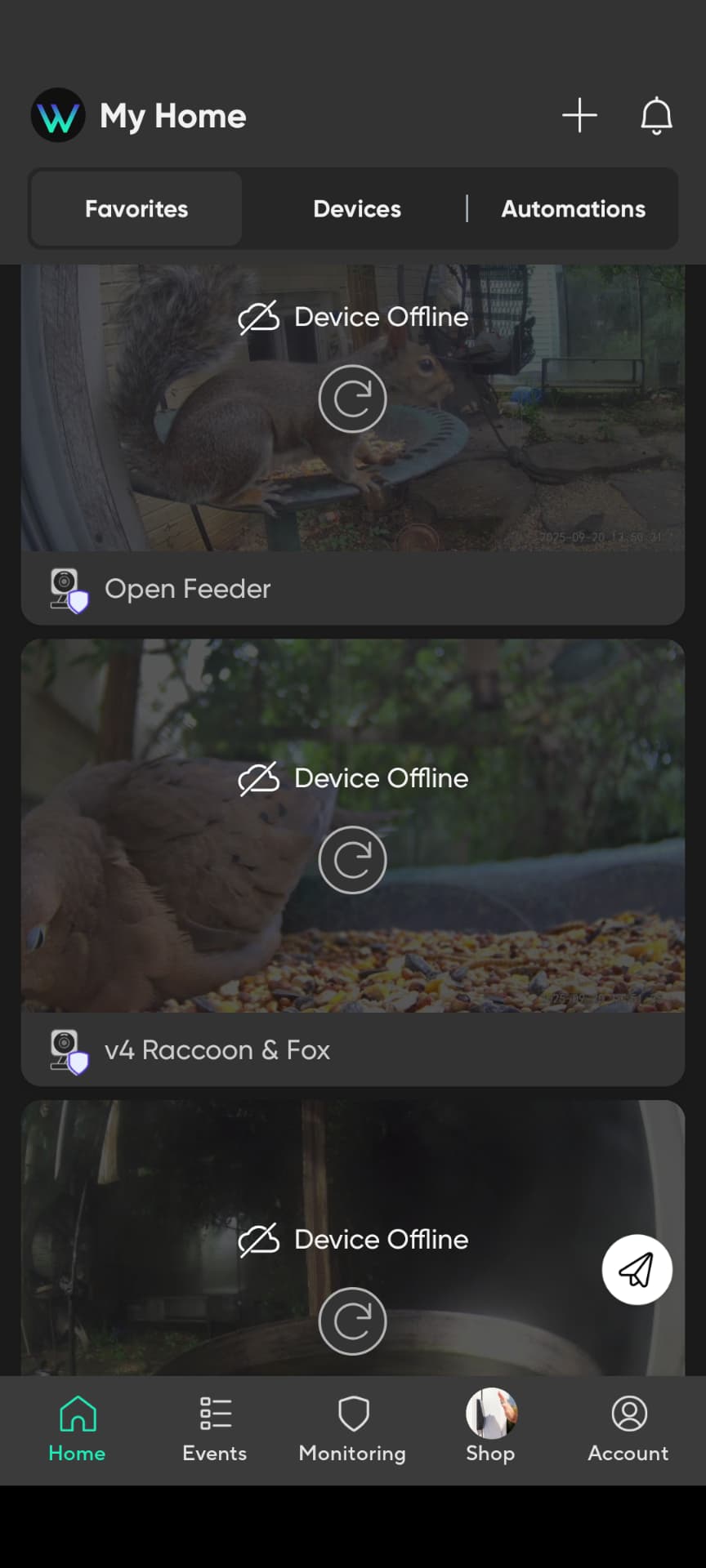
Are any of your 5 cameras very close to your WiFi router/access point?
If not, I would temporarily move one next to your WiFi router/access point to test if it still goes offline with the other 4 cameras.
This test should determine if WiFi signal strength / interference is a issue or not.
Thank you! They are scattered throughout so some are closer than others. I did try your suggestion but it’s still completely random…and it’s all or none. No matter how close. Thank you again.
It sounds like you have power cycled your cameras but have you tried power cycling your modem and WiFi router?
I did. I power cycled everything. I went so far as to throw the breaker. Honestly, I’m just baffled. But I really appreciate your trying to come up with a solution. Sometimes they just don’t work. And when they don’t work it’s all of them. It’s very weird.
When all 5 cameras go offline, do you still have connectivity with other devices on your home network?
I wonder if the device in the picture of your post #1 is switching to mobile data when the 5 cameras go offline.
I know you indicated that you cleared the cache, but I’m wondering exactly how you did that and on which platform(s), since your profile notes use of both the Android and iOS apps. I find that occasionally clearing the in-app cache is helpful, but sometimes as an Android user I’ll also clear the OS-level cache for the Wyze app (Steps 1-6 below, only I don’t hit Clear storage; if you do clear the storage, then it will be necessary to re-authenticate when launching the app).
This is how I would get a clean copy of my account profile/settings on Android (click/tap to expand):
- Clear the in-app cache: From the Wyze app’s home screen, navigate to Account ➜ App Settings ➜ Cache File Size ➜ Clear.
- Navigate back one screen to Account and tap Log Out at the bottom.
- Swipe the Wyze app out of the running Android apps.
- Long-press on the Wyze app’s launcher icon (on the phone’s home screen or wherever you tap to initially open the app) and then tap App info in the pop-up menu.
- Tap Force stop on the App info screen (may need to tap OK to confirm) and then tap Storage & cache.
- Tap Clear cache and Clear storage on the Storage screen.
- Back up one screen (back to App info) and then tap Open and proceed to log back into your Wyze account/app. (Optionally reboot the phone at this step for good measure and then launch the Wyze app after the fresh boot instead of relaunching it immediately from this screen.)
Note: I don’t know what the options would be for modifying these steps on iOS since I don’t use that platform.
If that doesn’t help and if trying these steps but including the Clear storage step doesn’t improve the situation, then my next step would probably be to uninstall the Wyze app, reboot the phone, re-install the Wyze app, and reboot the phone again.
If what you’re experiencing is happening to all Cams simultaneously while the rest of your network seems to be maintaining connectivity and function, then the phone/app seems to be the root of the problem, so I think that’s where I’d focus my troubleshooting unless you have a clear indication that something else is going on.
Welcome to the Forum, @theprojectfox! 
I use two different apps to clear my cache. Appmgr111 and Agv. It’s the first thing I do in the morning when I wake up. Is clear it out because it affects how other things run. I think it’s very strange that it’s happening on both the iPad and the Android phone. But these are very reasonable suggestions and this is what I will try next. Thank you. Again.
If it’s happening on two different platforms (Android and iPadOS), then I think that makes the mobile device and/or app a less likely root of the problem. The other thing I wonder about is if your router is doing something funky and interfering with the cameras’ connection to Wyze servers. If you poke around in the Forums, you’ll see a lot of complaints about certain Xfinity-supplied gateways (I think the XB7 is the primary culprit, based on what I recall reading), so I wonder if your problem is somewhere in your router because of the ISP, the particular router you’re using, or certain settings on the router (maybe a VPN or some other setting causing problems). 
I second @Crease’s suggestion that this might be router/ISP related issue. I recently switched ISPs and I was supplied Xfinity XB8 gateway. Even though the signal was decent all of my cameras would randomly disconnect and reconnect within seconds. I put the gateway in bridge mode and connected my old Eero router and disconnects disappeared.
I actually have an old router that I can try. And thank you both for this suggestion. I truly appreciate it.
Is your XB8 still broadcasting a “xfinitywifi” SSID with it in bridge mode?
I had an Xfinity XB7 and currently now using my own Arris S33.

Same problem.
I haven’t updated the firmware of my cams for 2 years because the last time I did, it bricked one of them. I was like “hey it’s been a long time, maybe I should update now, wyze must have stopped to [Mod Edit] things up” well…….. 3 days after updating the firmware, I began experiencing the issue, I also updated the app at the same time, which was a month behind current version, so I can’t be 100% sure it’s the firmware.
So far (happened twice) :
- Less than 2 hours after the cams weekly auto-reboot : all cams are down (wyze cam v3 And wyze cam v4).
- Power cycle does nothing.
- After rebooting the router, they eventually reconnect.
My router is working fine, everything is working perfectly (PC, phones, smart devices). Except wyze of course.
I’m so fed up with wyze products, always buggy, year after year…
MOD NOTE: Post edited to conform to the Community Guidelines.
update : changing the router seems to have fixed the problem… No idea what’s the root cause, maybe something related to the wifi packets handling which would cause small deconnections wyze cam are unable to handle…
So, the above sentiment was a vent, not a fact.
I disagree. As I said, all my wireless devices were working perfectly fine. And my issues started after the upgrade. They probably changed the way the wifi was handled by making it more sensitive to sub-standard quality network traffic. The router was quite old, so it probably had more packets loss, handshake taking longer or whatever.