My wyzecam pan 3 doesn’t seem to detect motion in the top 25-35% of the field of view. I know that’s also the part that’s farthest away, but I thought detection was based on changes in a cluster of pixels, and the movement ( a person) isn’t at all subtle. I’ve got sensitivity set to 100% and there is no detection zone set (I can set a detection zone to the entire field of view and it doesn’t help). Motion thats closer is detected ok, but seems like both should have been detected. Just by way of comparison, a “vintage” google nest camera that’s literally right next to the Wyzecam detects the motion just fine. See the pictures showing person closer in (detected), another with the person about 20 ft farther away (not detected), and the same view captured from a Google Nest cam (detected), which also shows the location of the Wyze cam visible in the lower left. I was hoping to retire the Nestcam, but maybe not if this is expected behavior.

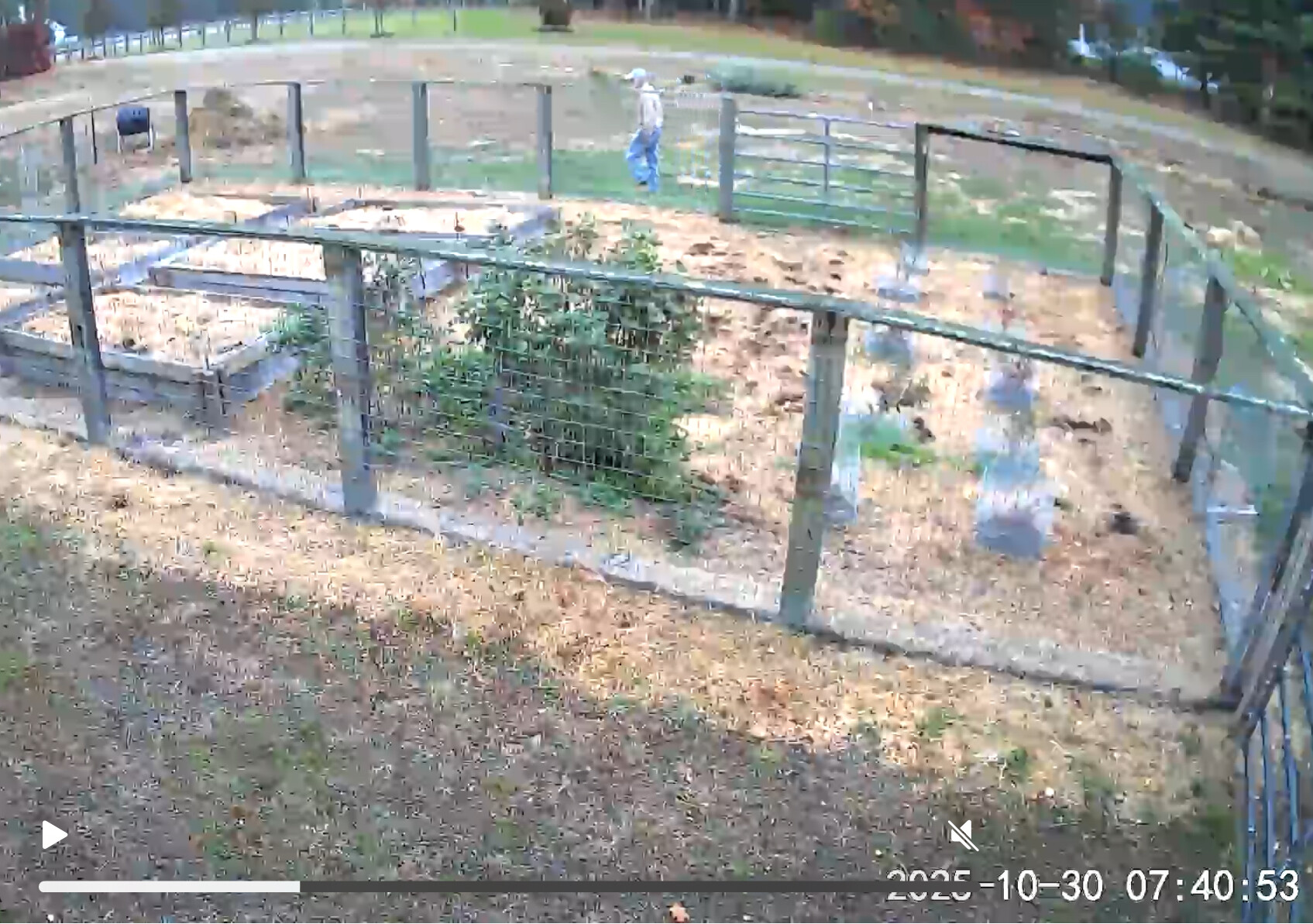
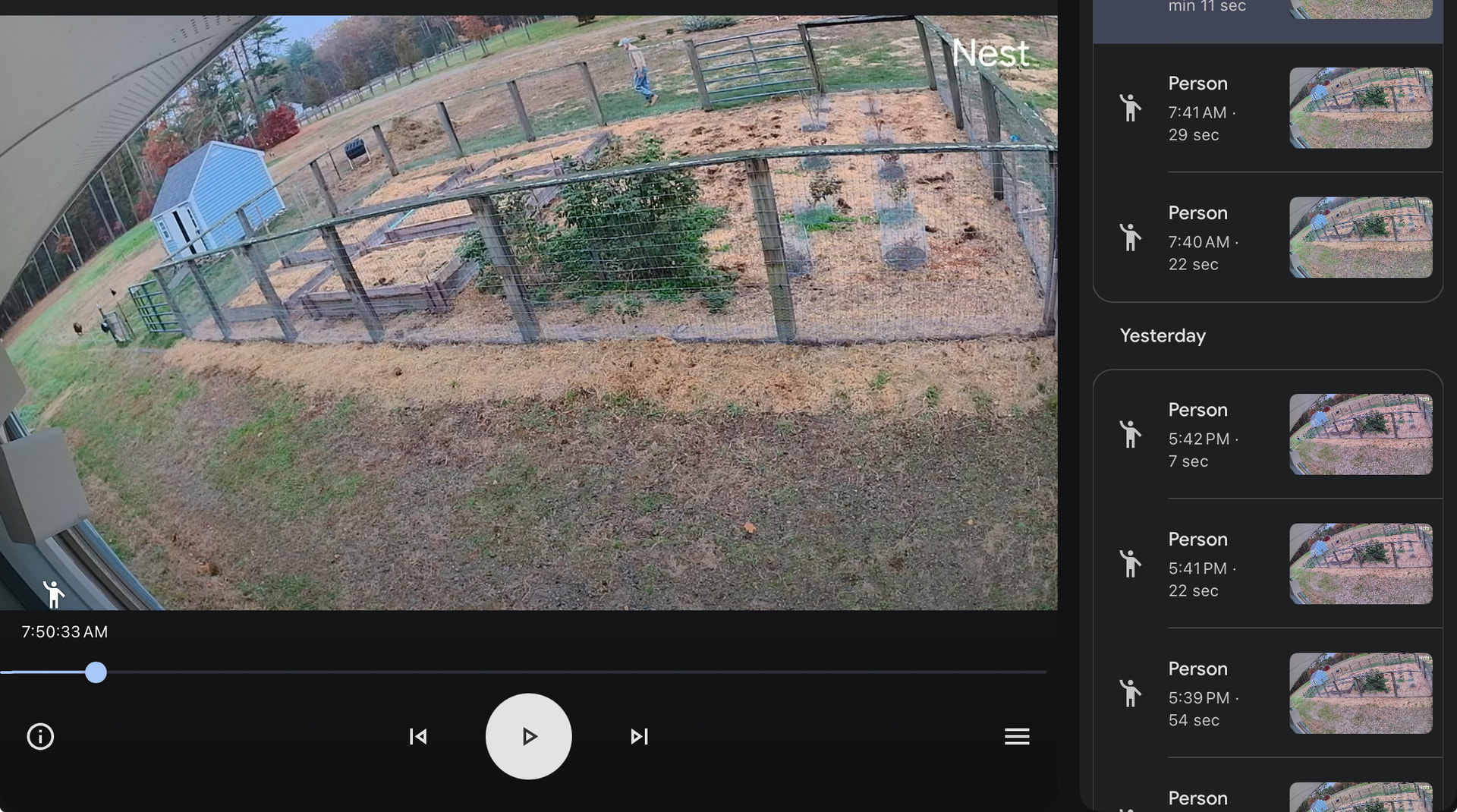
Might want to post a screenshot of your detection settings, Is detection zone enabled? Is smart detection enabled?
No and yes.
So, it seems that this is a feature not a bug. Wyzecam seems to require a much higher percentage of pixels in the frame to change than other cameras in order to register motion, even with sensitivity set to 100%. I can understand not wanting to register a lot of false hits, but it seems like they’ve gone too far in the other direction. The truck shown below

was not detected by the Wyzecam while my ancient Nestcam picked it up twice (coming and going). I had hoped to retire the Nestcam and no longer pay $200/year for video monitoring on two cameras, Sadly, it’s not worth paying half that if the Wyzecam can’t meet my needs. Too bad.
Keep the Nestcam. Or wait for @bryonhu to convince you to try Reolink instead. 
Do you only have Wyze Pan v3 cameras?
I have regular Cam v3 cameras aimed through double pane windows. I don’t use Detection Zones and have Detection Sensitivity set at 90.
My neighbors across my street when in their driveways do not get recorded. Anyone on my sidewalk or in the street does get reliably recorded.
Here is an actual Cloud video clip recorded and tagged as Person of a worker in my street near the right edge of the frame.
Thanks for posting this. I had an older model static camera (v2?) in this location for awhile, and it performed pretty much the same as your video. I have another pan V3 on my detached garage facing down the driveway, and it wont pick up activity on the street (which is ok) but often misses activity elsewhere in the driveway (not ok). In general I think the motion detection in the pan v3 is subpar compared to the static models and other manufacturers. They are still great cameras. I have six spread around our barns and surrounding pasture to keep track of our goat herd, The pan feature is really useful for this since I just need to know where everyone is and don’t need motion detection. I’ll live with it until they improve the algorithm.
Thanks again for posting.
Here is another idea you might consider. If you still have other cameras on hand but not in service (like the v2 you mentioned), you might put them back in service to supplement your Pan v3 cameras. Three of my cameras have somewhat overlapping views of the front of my house.
If one camera misses something, the other 2 generally record it.
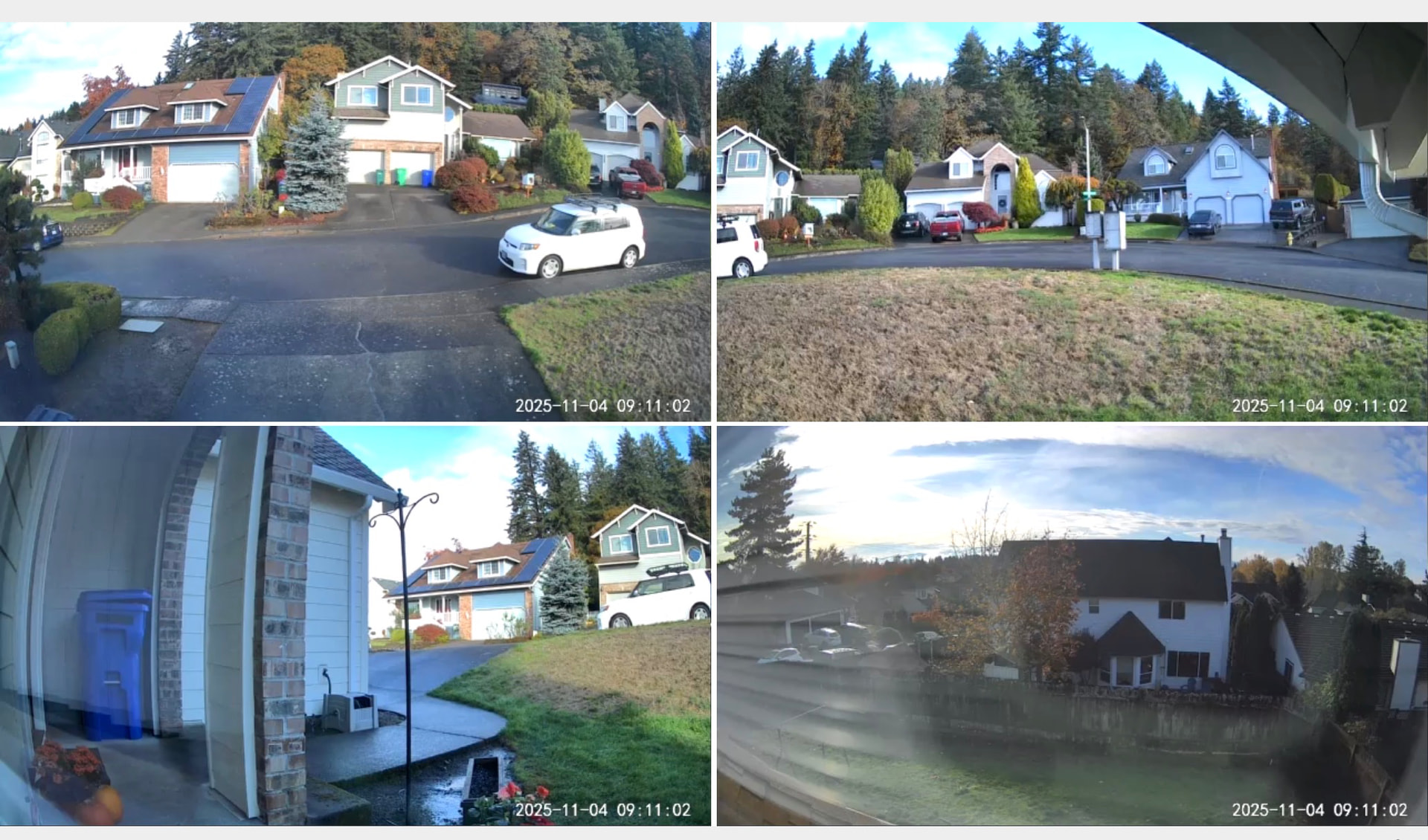
When I set my cameras up, I was not thinking over overlapping. I wanted a camera to watch my driveway, community mailbox, front porch and backyard. Overlapping turned out to be the icing on the cake.

I had a floodlight V1 watching my driveway, and a V3 mounted at the same location, powered by the extra USB port of the floodlight. The floodlight camera alone couldn’t cover the entire width of the driveway. When I swapped it out for a floodlight V2, the FOV is wide enough and made the V3 redundant. The optics is much better without the dangling wire of the V3.
Thanks for the suggestions. I like the Wyze cameras and have had them since the very first version of the Pan
And they are so inexpensive (cheap?) that I can spread them around all the places I need some eyes.
But…
I can’t deny that for security the Google Nest cameras are just better. Detection is better, the app is better, in part because it’s not restricted to Google products), the camera durability and reliability are better. So, I’ll be holding on to my Nest cams for awhile, but drop down to a lower tier subscription where only event videos are saved. I’ll keep the Wyze cams, too. But they will be mostly for having “eyes” in the barn and backup video recording using an SD card. No subscription needed, so I’ll drop my Cam Plus subscription. For security, it will be Google Nest.
Anyway, thanks for sharing your experiences. The girls appreciate it.

Cheers