Just got my bulb cam and compared to the video quality on my Pan cam v. 3 it is very washed out and kind of blurry on the right side of the camera. Is this something that can be fixed with firmware or this an hardware issue?

It is a fisheye lens (much wider angle than the Pan) so things that are further away and off center will be distorted. Obviously check and make sure the lens is clean but I think you’re just seeing normal limits of optics. I believe @crease has one maybe he can compare.
Probably what is throwing you is that the SUV in the driveway looks clear because it is closer, and most of the other focal points are much further away. But I could be wrong, hopefully others with the same cam can weigh in (or of course if you can easily exchange it you could give another one a try, just don’t want you to waste your time if it is normal).
The dash cams in my cars which also have 180 degree wide angle lenses have similar effect.
Dave,
Thank you didn’t think of that. That def could be the reason for it looking like that.
I interpreted “washed out” as being a comment about the color, but maybe it isn’t. If it was a color thing, then I’d say that they can probably improve that if they choose to at some point with a firmware revision. That’s what they did with Video Doorbell v2: People were complaining about how “washed out” the colors looked—particularly on sunny days—so a number of months after that product launched Wyze pushed a firmware update that included support for a Wide Dynamic Range feature, and that helped to improve color saturation, I think. It’s something I’ve kept enabled on my Video Doorbell v2, anyway, because I think it improves the colors.
If what you’re talking about has more to do with focus and clarity, then I think that’s probably an effect of the image distortion given how wide the field of view is for Bulb Cam (one of the things I really like about it). That’s primarily a hardware limitation, I think.
I’m curious about your screenshot: What’s the reason for having the light on when it’s so bright outside? I don’t think there’s a right or wrong answer. It’s just something that caught my attention in the image, so I thought I’d ask.
Welcome to the Forum, @Blah! 
@Crease Thank you for the welcome! Yes, I think it is the combination for me not the sharpness and the lack of color definition. I am not sure why the light was on lol. I did do a test today and I can toggle between SD, 360 and 2k and the 2k and SD look the same to me and the 360 is def the worst. Is yours the same between SD and 2K?

@Crease here is the 2K shot
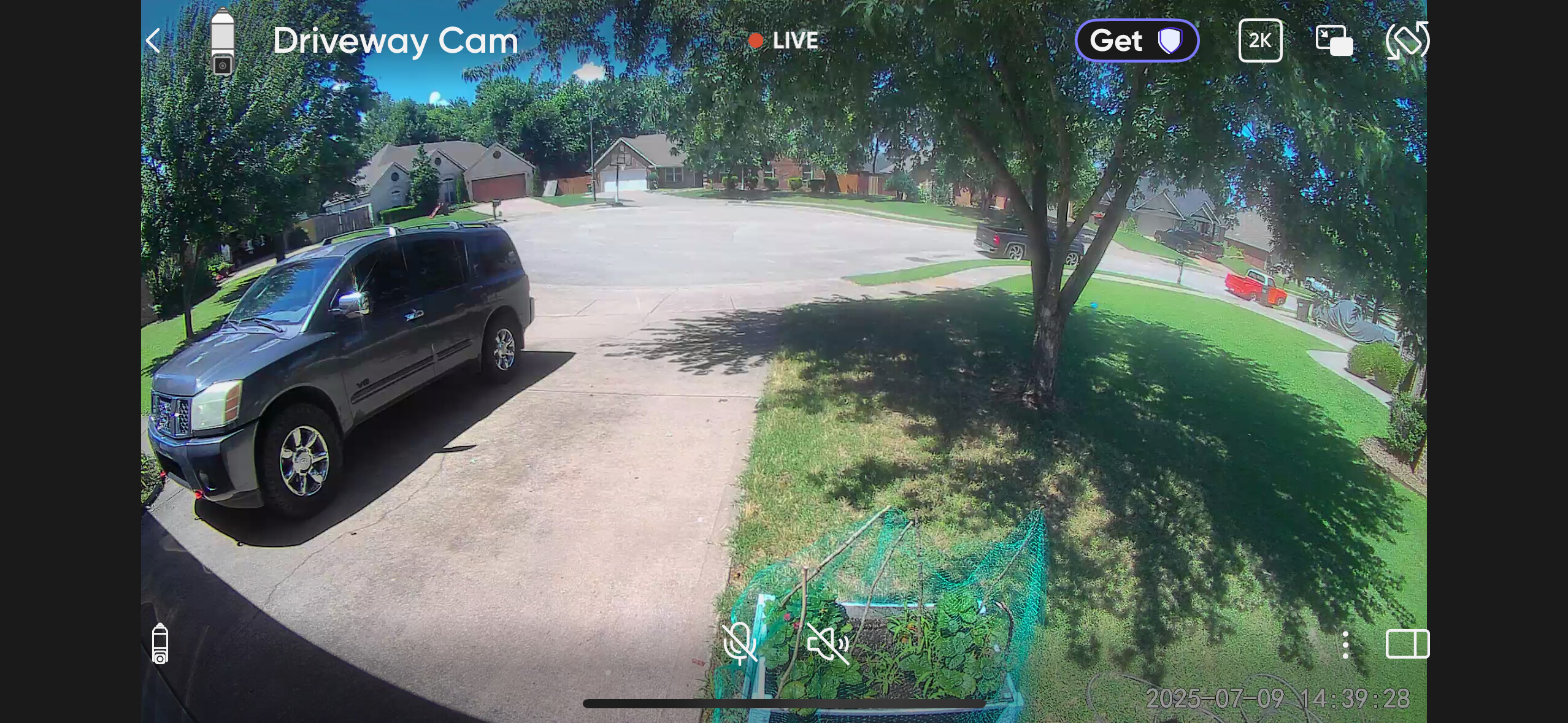
If it isn’t, then it’s close enough that I don’t see an immediate difference. I generally stream at 360p because it’s adequate for my needs and seems to load more quickly for me, but the definition is sharper if I toggle to SD or 2K.
Thanks for answering the question about the light. Like I said, I was just curious. 
I do think the light and its controls are nice features, as I commented earlier today in the announcement topic.
Try zooming in on things when in SD and 2K, that should be when you see a noticeable difference.
360P definitely looks worse even without zooming, but the other resolutions are closer until you put them on a big screen or zoom in on stuff.
If there is no difference between SD and 2K even when doing that, I’d start to wonder if maybe the cam isn’t able to get enough wifi bandwidth to stream the 2K. Normally I’d expect this to be obvious, choppy video, then an error message or reverting back to SD after a while. But I’m not sure how that particular one behaves. Most of my cams will pop up a message “network is unstable” and will ask you if you want to revert to lower resolution. But the v4 will just drop down on its own without an error after a while. So maybe the bulb cam operates more like that.
…or it has a faulty sensor. To me looks like there is something going on with the sensor. The right side of the image looks like there is some sort of a haze. Not sure if it is light refraction, but definitely something is not right with that camera.

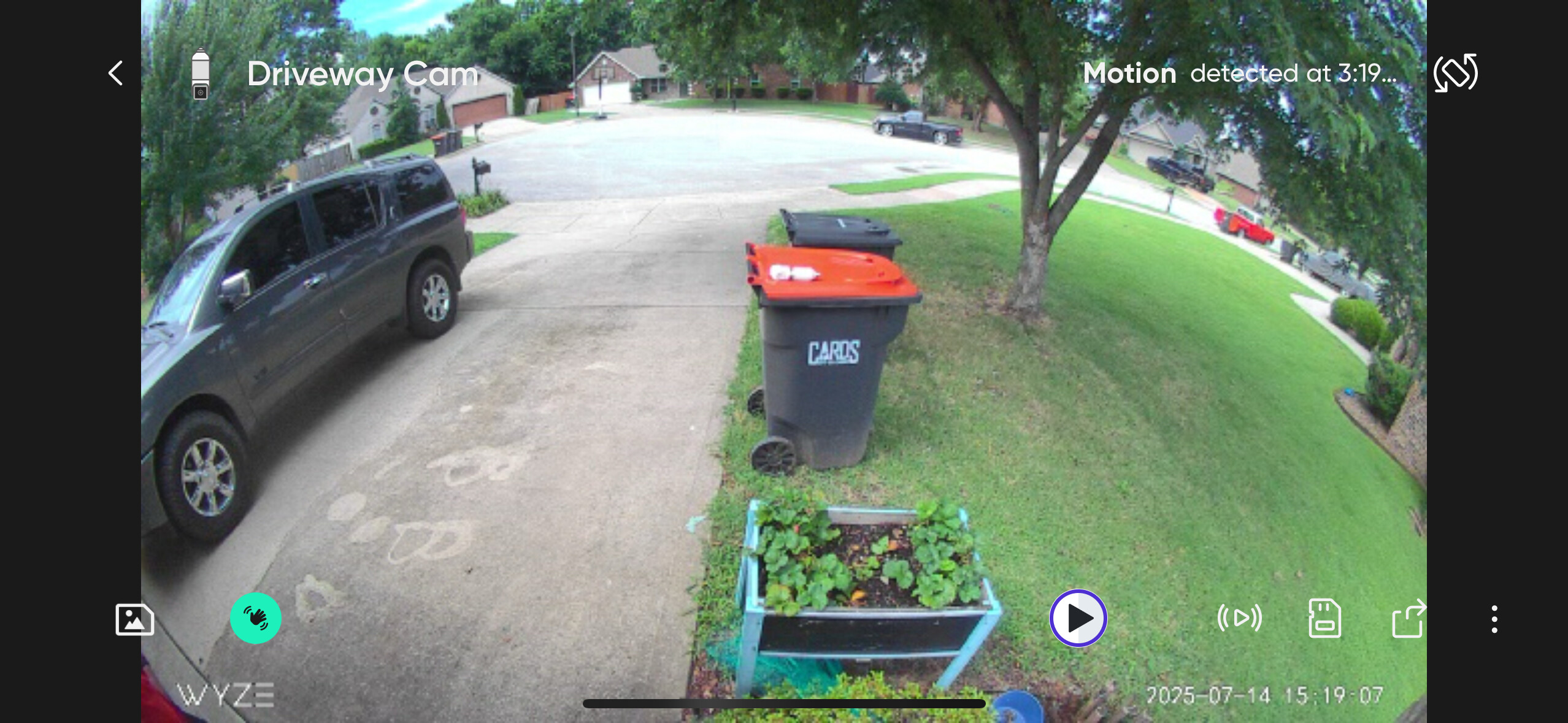
OK yeah the trash cans make it very obvious. Must have been a defect or maybe a fingerprint inside the lens from assembly.