Someone tell me what genius thought it would be a good idea to force me to keep my phone screen on, with this app active, just to do a basic recording?
Am I the only one who sees how asinine this is? AI. Tons of automatic features, like event recording and timelapse, yet I cant just get a basic record and stop function without draining my phone’s battery and doing NOTHING ELSE the entire time?
Because if I so much as look at a different app while recording, it stops. My camera is recording to an SD card, so why? KEEP RECORDING TIL THE CARD FILLS OR I SAY STOP!
Camcorders from the 1980s can perform this function, why cant the Wyze Pan v3?
Welcome @markc2000
I am a bit confused, if you have an SD Card in it and set to Continuous, it will record and not need to keep the screen on.
What are you trying to do? Need some clarification as I never have to keep my screen on.
im not talking about event recording or any other feature
I bring my camera up. I press record. If I leave the app up and active, it records til i hit stop
If i flip to another app and come back, it’s stopped
I see what you are saying, question though, do you have an SD Card in it and set to Continuous? If so, wouldn’t that allow you to record the event needed?
Normally, when I hit ecord, it is because I am seeing something and want to save it for some reason. I normally stay on the screen until whatever I see has ended. I never considered hitting record and then leaving the feed. But, I can see how some may want this. you coul request this as an option and make it a wishlist item for Wyze to look into and consider.
I’ll have to look into this continuous thing you’re mentioning
Normally I just use the camera to view live feed of my 3d printers.. and occasionally timelapse.
This time I wanted to full record a print to see what was happening when it kept failing
Is the continuous you are talking about Camera → settings → MicroSD Card → Continuous vs Events only under Record to MicroSD card?
Because I dont see it actually recording continuously that I know of
It should already be doing that if you’re using a microSD card and have the camera configured to use it.
For that you’ll want to navigate to Cam Pan v3’s Settings ➜ MicroSD Card and ensure that Continuous is selected.
The Record control that I think you’re talking about using is primarily for recording onto your phone a video file of content that is streaming from the camera to your phone, as when you’re viewing the live stream or playback from microSD recordings. If you have the camera set for Continuous microSD recording, then all of that video should be constantly recording to whatever card you have inserted into the camera.
To see if your camera is doing Continuous recording, you could tap the SD Card button below the live view pane (2 icons to the left of the Record icon) to view the microSD card recording playback timeline. If your camera is set for Continuous recording, then you should see an unbroken green stripe as evidence of that. If your microSD recording is set for Events Only, then you’ll see gaps in this stripe when the camera isn’t recording to the card.
I had turned continuous off because it seemed to be preventing me from doing timelapses, by keeping the card full
I have turned it back on and there is no green stripe. There is nothing to view, anywhere
Also, this seems to have been a problem/issue/change that has been needed for over 5 years, as I’m not the first
I forget the term, but this isnt natural. Maybe it’s a generational thing (I’m a millenial). For me, if I want to start recording right now, until whenever.. i press the record button. And I expect to b able to hit the stop whenever I want. THEN decide to download that clip to my phone if I want.
As I understand it now, this record button isnt telling my camera to record, but is instead recording the live view to my phone, which FINALLY makes this active app thing make sense.
That’s not the intent of me and this other person
What size is the card? If you’re recording a lot of time lapses and not removing those from the card regularly, then it’s going to have less space for “regular” (non-Timelapse) recordings. I’m not sure what the overwrite policy is if you’re trying to do both Timelapse and Continuous microSD recordings, but it’s definitely possible to do both (I have and do) if your card is a sufficient size and has the space available.
That’s because you just turned it back on. It’s going to take a few minutes of recording before the timeline appears, but if your card’s space is full of time lapse recordings already, then that could be part of the problem.
Yes, that’s the expected behavior as I understand it. The camera itself should be recording as long as it’s got power and a target for the recordings (microSD card with recording enabled and available space and/or the Wyze cloud if you’re using a subscription).
If you’re certain that you have microSD recording enabled and set for Continuous but still not seeing the stripe on the timeline (or any indication in the microSD recording timeline that things are being recorded), then you may want to pull the card from the camera and pop it into a PC to see what’s happening with it. Your regular recordings should be within the record subdirectory in the card’s root directory, and any time lapse recordings you still have on the card should be in the time_lapse subdirectory. If you want to save your time lapses, then maybe back up that subdirectory, put the card back into the camera, and reformat it there.


He’s not trying to record to the SD card. He’s trying to record to his phone. Or at least that’s my take, but he seems confused between the two.
Yes it is. Once you set it, it will record continuously. you will only see the recordings when you view the SD Card
The “Record” button always saves what it is recording to the phone’s media gallery, no surprise his battery is dying. He needs to record continuous then download the videos or take the card out and view all of the one minute recordings or join them all together to make one long video.
What size is the card?
I think 32gb
I have turned it back on and there is no green stripe. There is nothing to view, anywhere
That’s because you just turned it back on. It’s going to take a few minutes of recording before the timeline appears, but if your card’s space is full of time lapse recordings already, then that could be part of the problem.
Still like that even hours later now. No, card isnt full. Time lapses were long since cleared. Still “no video available at this time”. I also know the sd card isnt messed up because it records the time lapses fine. The files were still there when I deleted them today
As I understand it now, this record button isnt telling my camera to record, but is instead recording the live view to my phone
Yes, that’s the expected behavior as I understand it. The camera itself should be recording as long as it’s got power and a target for the recordings (microSD card with recording enabled and available space and/or the Wyze cloud if you’re using a subscription).
He’s not trying to record to the SD card. He’s trying to record to his phone. Or at least that’s my take, but he seems confused between the two.
I already kinda answered all this. I was saying I understand its function now. To the rest of us, like that other thread.. “Record” meant save this. Once we would stop, we would then expect that recording to be on the SD card / etc.. which we could then save to our phone.
I get the feeling this confusion on my part and his come originally because continuous recording has never worked for us for whatever reason.
If you’ve pulled the card (I’m inferring that you did when you say that you deleted time lapse files today), then what do you see in its record subdirectory? You should be able to drill down into that to find individual 1-minute video files organized by date and time if the camera has been recording as expected.
Also, what does your Settings ➜ MicroSD Card screen show? If you could share a screenshot of that and/or other things in the app that aren’t showing what you expect to see, then that might help shed some light on the situation and guide the troubleshooting.
As @Crease stated, see if your card shows recording progress.
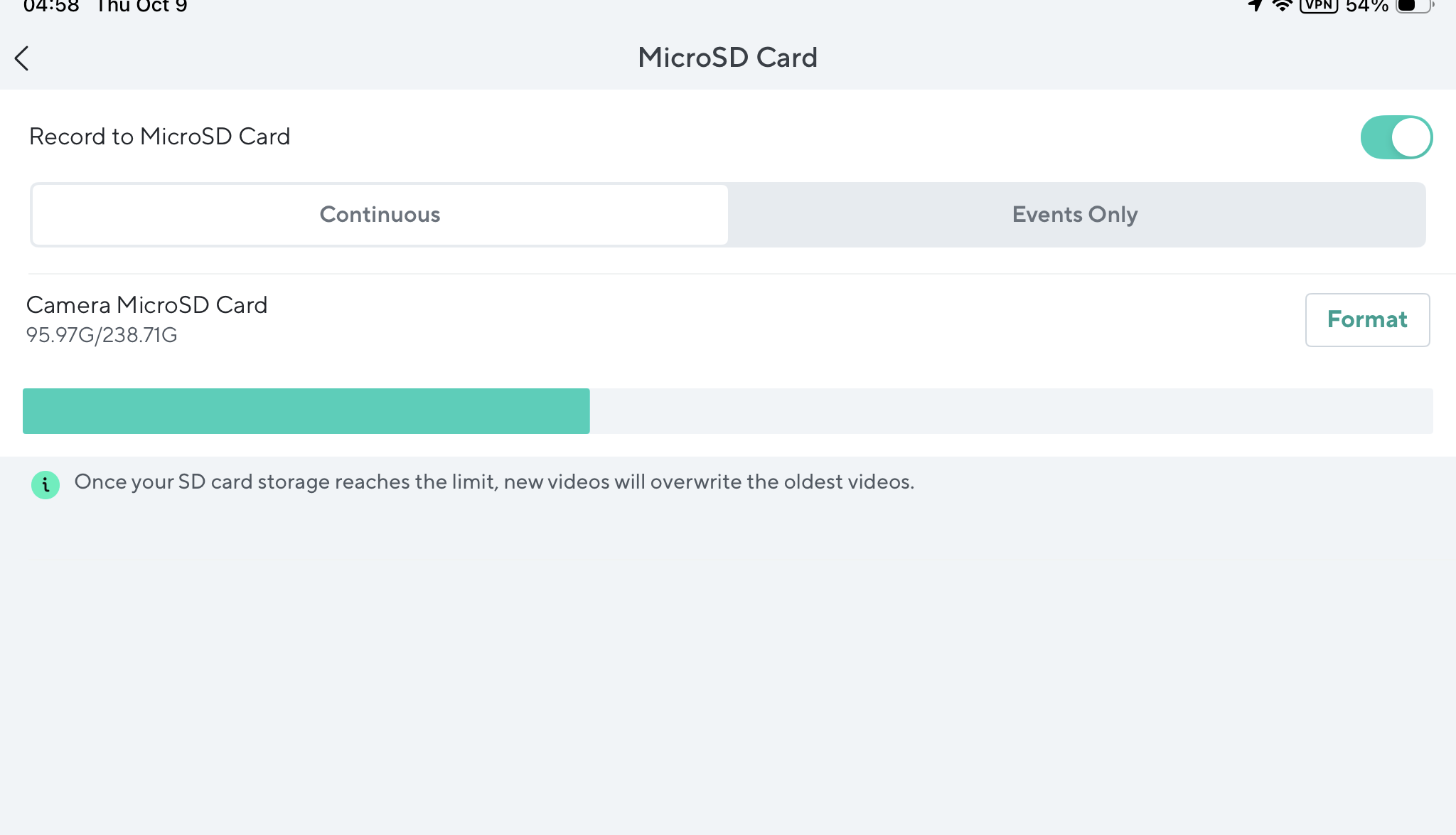
I got around to taking the SD card out. It’s only 8GB
I saw just 2 clips. Never did get a green timeline / bar
That’s not much these days. I think 8 GB is the smallest size any Wyze Cams support, or at least that’s what I recall reading. If I had a card that size, I’d probably do a clean FAT32 format on it, stick it in a drawer, and save it in case I needed to attempt a firmware flash at some point.
Having said that, you should still be able to do continuous recording to it (if it’s a good card and actually has full use of its listed capacity), but I wouldn’t expect to see a lot of footage on it at any given time. Also, a card that small and set for Continuous recording is likely to be written and rewritten many, many times and would be expected to wear out eventually. If you really want to do continuous microSD recording with your Cam Pan v3 (or any other Wyze Cam), then you’d be doing yourself a favor by using larger capacity cards that are designed for that type of use. Lots of Forum members tend to favor Samsung PRO Endurance and/or SanDisk High Endurance cards for this purpose.
8gb? I have a need for 16gb SD cards. Hard to find them; they cost more than 32gb cards.
Leaving the 8gb one in, it never did record anything by default
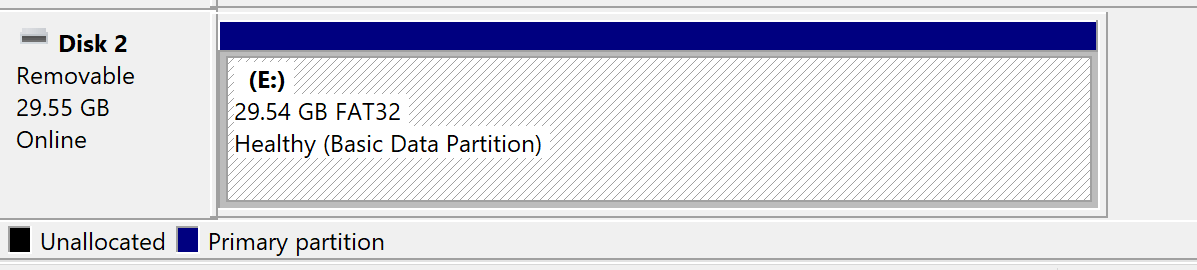
I found a 32gb wyze one in the drawer
Despite formatting it several times and it working fine on the PC, I cant access the SD card at all on the camera now.
It acts like it’s not there at all
I think I know why I felt I needed to hit record to record live video.. This camera has NEVER just passively recorded to the SD card.