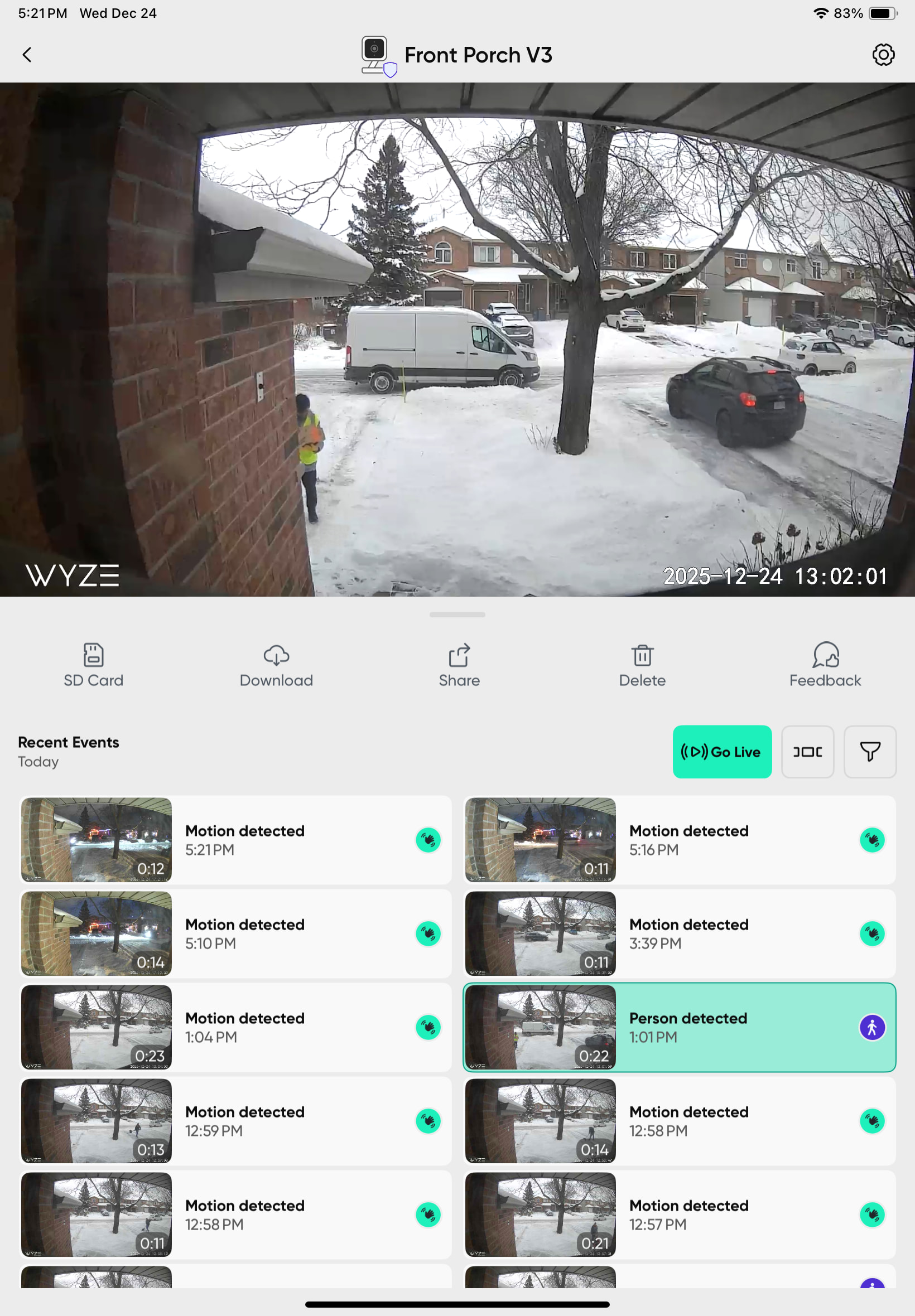
Set up the OG cam at front door. The micro sd card set to record continuously as I don’t trust cams to record complete events. The camera completely missed two deliveries today leaving a gap on the sd card continuous recording. I have installed a V3 as well there to capture what’s missed by the OG. Two pics show OG gaps in continuous recording. 3rd pic shows V3 event / delivery missed by OG
What am I missing here (other than the actual events not recording)? Any suggestions for a fix for this?
Not sure what you mean, if it is set to continuous, it records continuous. If there is a gap in the recording I’d suspect a bad SD card, though it will typically warn you of that.
Did it not record, or did it just not tag/notify the event? Is there an actual break in the green line on the timeline?
Only other thing that I can think would cause a gap is the cam lost power or rebooted. Is the wifi signal good? Many of the cams (not sure about the OGs) will reboot after 30 mins of no wifi.
Based on the pictures you added, the cam is rebooting every 30 mins. Make sure you don’t have an automation set to do that, but that lines up with the behavior of these cams when they don’t have a wifi signal.
Could also be a faulty cam or power supply, or maybe even the outlet?
It is set to record continuously. No automations set up. Both cameras (OG and V3 3’ apart and same power source (wall outlet). I added the V3 as I got tired of the OG missing events… actual gaps on the sd card. I will try another sd card in the OG to see if that works.
That looks like the camera rebooting at regular intervals. I would definitely try a different SD card just to see but I suspect there is something else going on. I have 5 OGs and none of them exhibit that behavior.
I do have one that I set up temporarily and was using a known bad SD card in it (bad spot about halfway in), and when it hit that spot it would stop recording and give a warning message. Never rebooted or started recording again until I pulled the card and formatted it, so that fairly regular interval of gaps looks more like the cam rebooting to me.
Can you look in your wifi router and see how long the cam has been online? I’m guessing it has been a short period, meaning it rebooted.
I’m confused when you say both cams are on the same power source. Have you tried swapping the AC adapters between them to see if that could be the issue? If you’re using a single adapter with Y cable, I’m not sure if the OG and v3 can share a 1 amp power supply or not, might be cutting it close and could explain what you’re seeing.
Also keep an eye on whether it is staying connected to the router or not. If it is losing its wifi connection, it may be going into the 30 minute reboot loop that many of the cameras do now (to try and get back online).
I put the micro sd card in another OG and it has issues there so appears the sd card was the culprit. The new card at front door OG is operating just fine. Problem solved!
Question. With the OG cams, can we use micro sd cards larger than 32GB without having to do anything other than put them in (no special formatting reqd)?
Yes, they can go up to 512 “anecdotally” (256 officially I believe). exFAT (the default format that windows will put on it) is ideal, so nothing special required. Heck they can probably go above 512, not sure if anyone has tried.
Mine all run 128GB Sandisk High Endurance cards and hold around 10-12 days continuous recording depending on the amount of motion and complexity.
Honestly I’m surprised the cam was restarting recording, when I’ve tested it, any little glitch with the card and it just says the card is no good. Maybe it was crashing the cam and causing it to reboot thus masking that or something.
I like to run cards through the formatter from sdcard.org before using them (and even from time to time if they seem to have slowed down or are having issues), basically “factory reset” the card back to SD standards (even brand new ones sometimes are not right out of the box). Who knows, could even fix your other one, but I wouldn’t hold my breath.
That formatter will default to FAT32 for up to 32GB and exFAT for over 32GB, both of which the OG will do fine with.
This is definitely a firmware bug. I have tried all recommended steps and its still persists. This has started with the latest firmware update as this issue was not observed before November 2025
OP’s issue was a faulty SD card and has been resolved. There hasn’t been any recent firmware release for the OG (May 2025 is the last one) - unless you’re using beta firmware. If you are using beta, you should expect some glitches.
I swapped out the SD card and since then I’ve noticed gaps appearing whenever there’s an actual event recorded to CamPlus. Very annoying as i can see activity before and after on SD card with the event on CamPlus. So ya its an issue.
I have 5 OGs running latest firmware and latest app, using Sandisk high endurance cards on continuous recording and don’t see any issues. I don’t have cam plus, not sure if that might potentially have something to do with it.
I am experiencing the same issue on both of my cam OGs. I have been using SanDisk high endurance cards all along and I notice both cameras will skip the recording whenever there’s an event. No notification would be sent to the phone on the App. It has happened since last month. Both cameras have the latest firmware but I am not sure when was the last update (last month?). I have Cam plus.
I swapped out the memory card on one of them this morning, and the problem persists. Someone might deny it’s a firmware issue and it’s the cam or the memory card. What’s the chance of both cams dying for the same reason at the same time?
Same here. 2 x OGcameras with CamPlus. Its NOT the SD cards. Events recorded to CamPlus as events but blank during that period on the SD cards. Has to be a firmware issue. I havent had time to reach out to support on it
I’m seeing this as well when I look at a Cam OG “v1” microSD recording timeline. I have microSD recording set for Continuous, and there are small gaps in the timeline that roughly correspond to event videos saved to the cloud (I’m currently using Cam Unlimited). It kind of acts like Cam OG can either record to microSD or upload a recording to the cloud but not do both at the same time.
Blaming firmware doesn’t make sense to me, because—depending on which Cam OG version is being used—the most recent production firmware updates listed are for May or June of last year.
I’ve asked someone at Wyze to look at this topic and see if this is a known issue and/or ping someone on the product/developer/engineer side to check into this. I also haven’t yet submitted any logs, but I imagine those might be helpful if affected users want to submit those from the app and then post Log IDs here.
Sharing a video from an event just now from the memory card. Notice the jump in timestamp. The missing time should be the time when a person event is triggered and a notification is sent. I did not receive any notification on the app at all. And yes I have the latest version of the app on my iphone.
If it’s any consolation I saw this on my V4 yesterday. I had an Amazon delivery notification and the live view was choppy so I couldn’t see if the delivery guy through the package or left it nicely in the porch. I went back to check the recording and no video in the cloud and no video on the SD card. I did a hard reboot (cutting power off and on) and haven’t been able to replicate the issue. At this moment I’m going to assume that it was either a server or WiFi glitch.
Has anyone in this discussion opened a ticket with Wyze Support about this? If so, then please share that. The person I asked at Wyze about this issue is looking for ticket numbers to pass along to engineers.
If you’re seeing this issue but don’t already have an open ticket, then I’d recommend first generating a log from the app after replicating the issue. Then create a ticket that references the Log ID and post both numbers here.