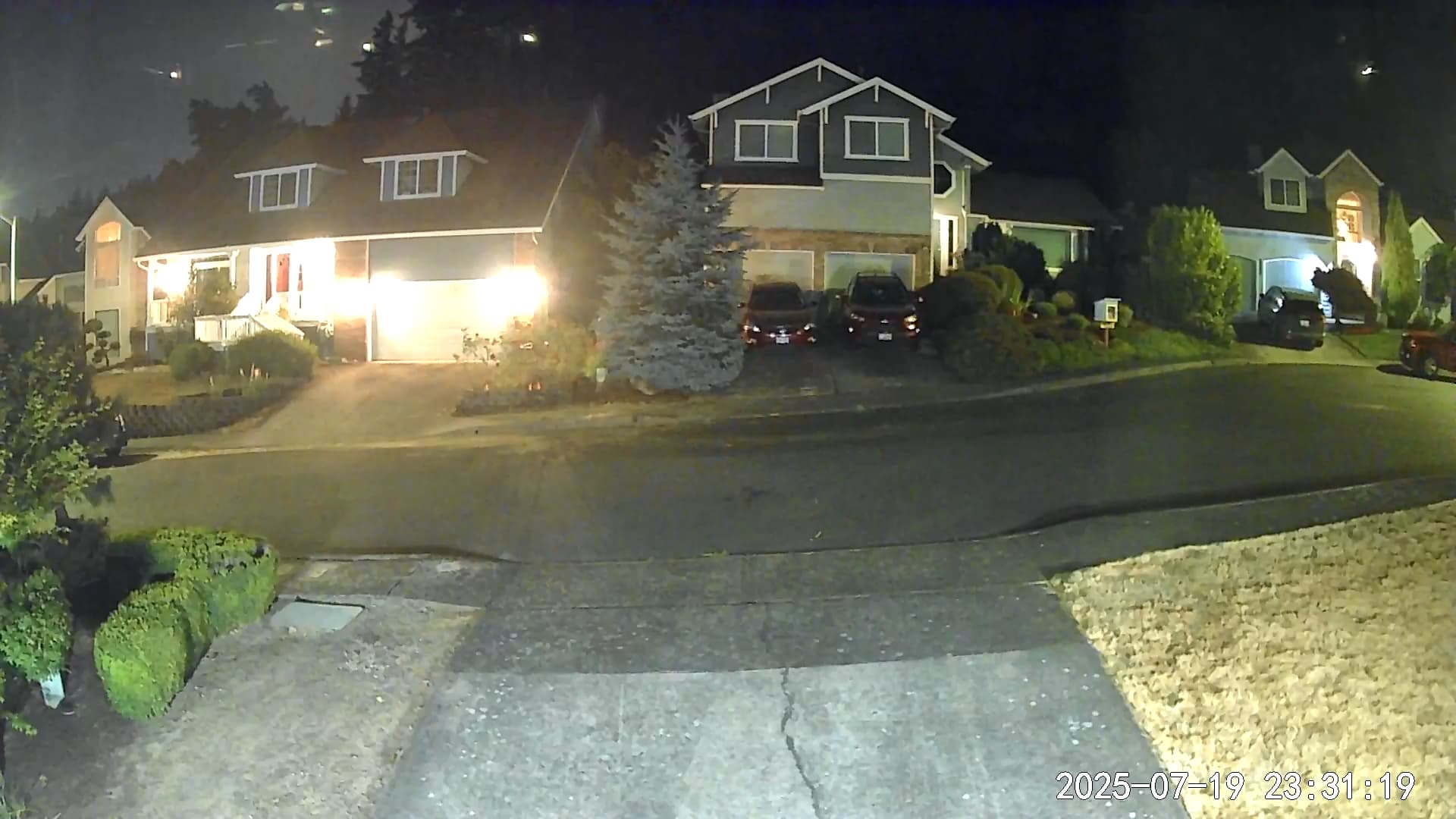
Can anyone provide some insight on what might be causing my color vision to arbitrarily change to black and white.
Kind regards, xtx
Can anyone provide some insight on what might be causing my color vision to arbitrarily change to black and white.
Kind regards, xtx
Welcome to the Forum, @xtx517! 
My first guess is that you have Settings ➜ Advanced Settings ➜ Night Vision Mode set to Auto and that your lighting conditions are varying enough to cause the switch. Wyze considers “Color Night Vision” to be what uses the camera’s “starlight sensor” to produce color images in low light settings when Night Vision Mode is set to Off, because your typical (non-color) “night vision” produces greyscale images.
If you can provide more detail, then others might be able to suggest better answers for you. Information about your camera’s settings, its placement, available lighting in that environment, and what you’re trying to achieve would be good places to start.
Does your camera do this? Here is a video of my v3 when my garage light turns off. Video goes from color, to dark then to black and white because I have Night Vision set to Auto.
Steven….
Yes!!! Exactly. I could see your red truck and then all of a sudden it goes to black & white. Is this what I should expect or are my settings things fouled up?
My above garage video is how Wyze Night Vision works. You can turn Night Vision off in the camera settings (as I do with the rest of my v3 cameras).
Here are pictures of my driveway camera with Night Vision off and my porch light off.
Same camera with my porch light on.
I feel I have enough light on my street to leave Night Vision off.
As indicated, this is the expected behavior when Night Vision Mode is set to Auto. You have a few options depending on what your goal, placement, and use case are. You can deal with the way that it’s working (as expected) or choose a different setting for Night Vision Mode. If you set this to On, then your images will always be greyscale (even during the day). If you want to always have color images, even in low light, then you can try setting Night Vision Mode to Off. It’s possible that your camera’s location is already providing enough light even in low-light situations or overnight hours (I’m just speculating about your use case), but you won’t really know until you try and then look at the video you’re getting in those conditions. Again, depending on your use case, it might be possible to add more illumination to the camera’s view so that you’re getting better color images even at night.
As an example, I have a couple of Cam Pan v3s indoors. During the day, that room gets some sunlight, so the images are in color. At night, I can have a couple of regular (4 W equivalent) night lights turn on in that room, and that provides enough ambient illumination that I can leave Night Vision Mode set to Off and capture color video even at night.
What makes it confusing is that the camera has “night mode” and “color night vision”. The difference between them is not obvious, and can actually be counter intuitive.
Color night vision means it does not use infrared, just amplifies ambient light. So basically nothing changes from daytime other than the camera sensor gets much more sensitive to light. There will be no flash, no black and white, nothing really obvious, it is a gradual transition as lighting changes.
Night mode means it drops an IR filter over the lens (internally) and turns on the IR lights. When it switches to that mode, there will be a brief washout and recalibration.
If you have enough ambient light, simply switch “night mode” to “off” and it will do color night vision all night without ever switching to IR, making the flash, going to black and white, etc. You can test and see if the ambient light in your area is enough or not.
If you find that you need it, but it cycles on and off throughout the night, try changing the night mode conditions to “dusk” instead of “dark”. That way it will take more light to bring it out of that mode and shouldn’t toggle back and forth. Or if you’re set to dusk (I forget what the default is) changing it to dark may stop it from switching all together (though just disabling it is a more certain way to do that).
I will try both modes and see what happens! Thank you for your insight!!!
Dave…wow! If you are not part of the Wayz technical support team you should be. This is great info. I will play with the different modes tonight. Thank you again for your time and expertise!!!