Cause for optimism?

Cause for optimism?
It’s now almost February 2025…. Time for some new cameras everyone! Wyze cares more about selling new cameras than retaining customers.
Mute notifications for cameras (or any device) shared with me
Please allow users to mute the notifications of OTHER user’s cameras shared with them! I have Wyze cameras and security and so do my parents. They have shared one of their cameras with me but I do not want to receive the notifications for their camera. They want the notifications, but I do not. I should be able to mute the notifications in my app without it affecting them.
There are 2 options for this,
First is you can go the wyze app, settings, notifications and then turn it off
Second is to go to phone settings, go to apps, then go to wyze app on there and then you can turn off notifications from there too.
Let me know if it works for you.
That is not a resolution for most and a cop-out for Wyze on this topic. Many of us, including me only want to silence notifications for one camera within a household/account while another user within that household/account wants them on for that specific device.
Are you able to share how you set this up? I’m very interested!
Agree 100%
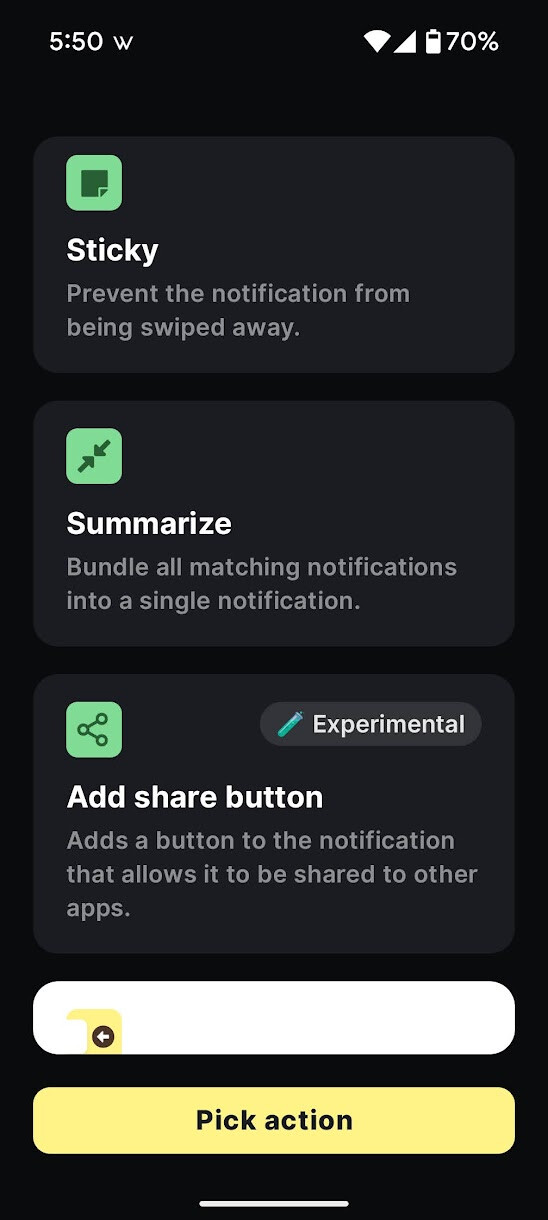
Sure. As I said, there are multiple ways to do this, the easiest one is the app called “Buzzkill Notification Manager” but it’s a paid app (sometimes goes on sale):
Personally, I basically got it for free by doing the “Google Opinion Rewards” stuff, answering short surveys of 3-4 questions once in a while to get free Google Play credit, so I don’t mind paying for the best apps once in a while with those credits.
You can do the same with Tasker or Macrodroid, or there are even some free opensource apps. But I find Buzzkill to be the easiest to understand/use, which is why I suggested it first.
So for Buzzkill, it is REALLY easy to set up, check this out. You just open the app and click on the Create Rule Button at the bottom right as seen here:
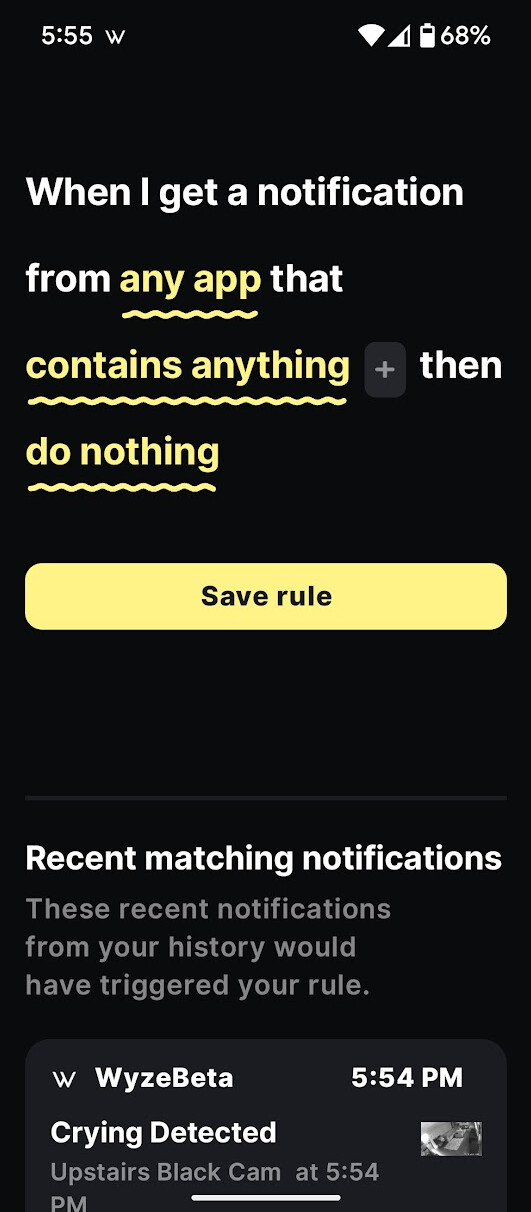
Then it will open up to the rule screen like this:
Here’s an Example of one being dismissed immediately so I never see it:
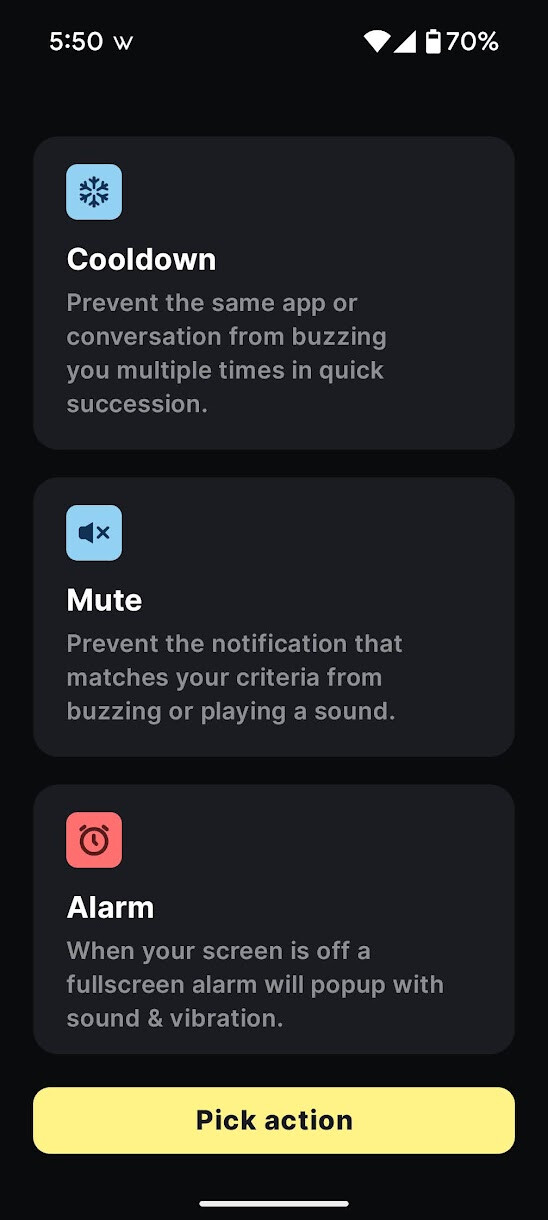
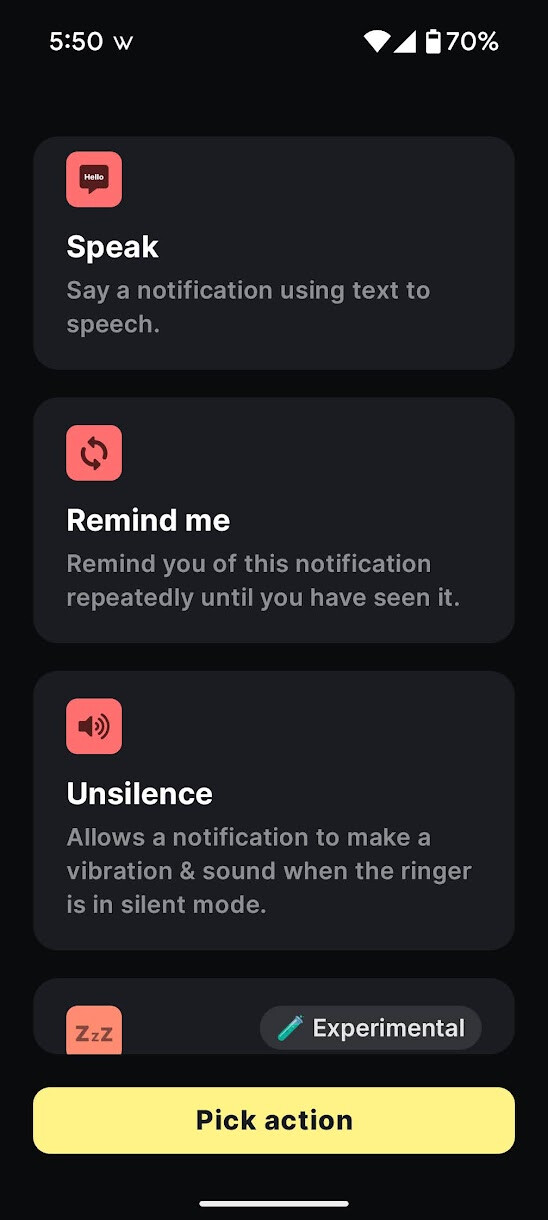
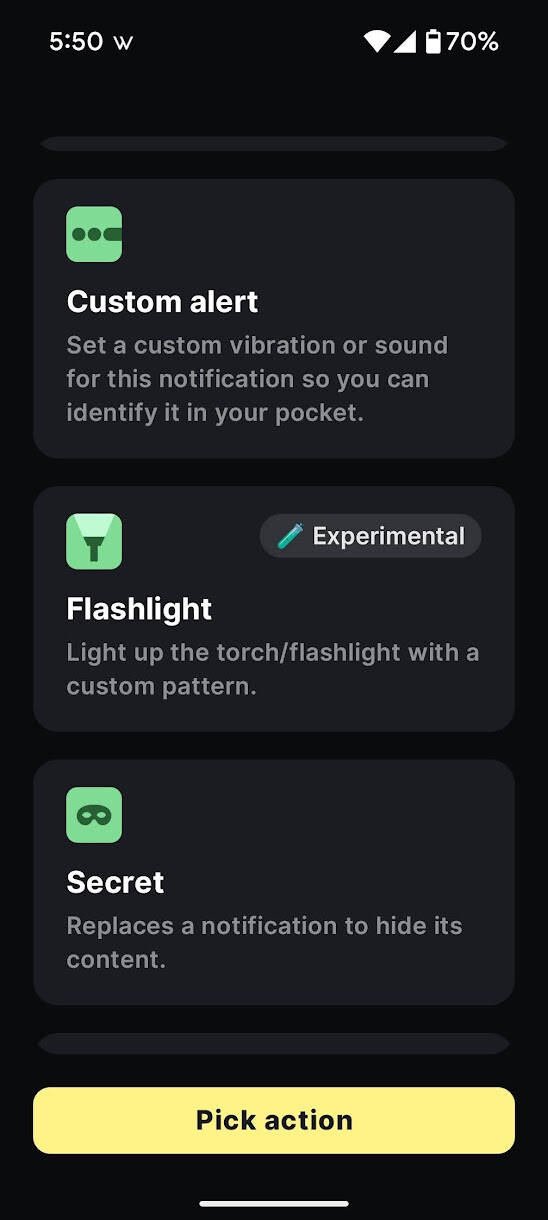
You can choose phrases, or groups of words or a number of things.
Or sometimes I will just have some dismissed after a set time period
I’ll post a bunch of examples of other ones I use for you to get some ideas
Here I have my phone automatically announce out loud when someone is at my doorbell:
Or let me know when I lose internet because my Wyze Hub went offline:
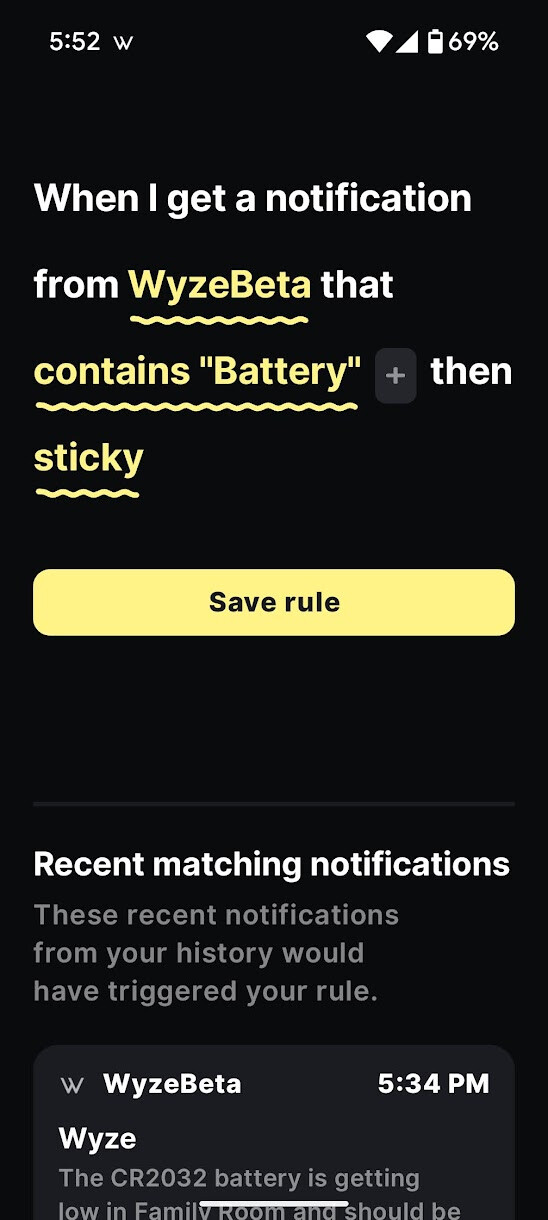
Same with any notifications about Wyze devices with a low battery:
I use this one to clear out my pet detections at night so my notifications don’t fill up with junk about my pets and stop letting me get other notifications I care more about:
I used to use this one to make sure I didn’t miss any of their Flash sales, though they rarely do those on the app anymore. They used to do it a lot more before they got on TikTok and did all their flash sales on TikTok:
Here’s an example of one where I have a whole ton of cameras I want it to clear notifications from automatically once the notification is at least an hour old (such as my kids were crying on their baby monitor camera…after 1 hour that’s not as relevant or urgent anymore and I probably already handled it):
I have a good couple of dozen of these custom notification actions. You can use it with notifications for any app. That comes in handy when a lot of apps don’t have customization and try to force me to get ALL notifications and I only care about one specific thing and don’t want any of their spam or other stuff.
I do the same and similar things with Macrodroid and Tasker too. I also use Macrodroid sometimes when I want the action to be a “Webhook” (which is like sending a command to my Home Assistant Server or to Alexa to tell it to do something when I see a certain notification and they don’t have a trigger option for it).
I hope those instructions help and the examples were helpful to just do the simple thing you wanted (auto-dismiss notifications for shared cams so you never even see or hear them) or give you some ideas for other things.

This is one thing I really love about Android…we get full customizable control to be able to do almost anything we want. But since iOS doesn’t even allow any of this, Wyze really needs to build in their own more customizable solution so people aren’t forced to be subjected to notifications they don’t want.
Wow. That is definitely too much to read after a couple of  Margaritas.
Thank you! That’s really helpful.
Thanks! But way too much work.
Thank you for taking the time to share this solution with us.
A basic version I would appreciate is for the ability to add a second ‘owner’ account to co-administer devices on my account. I would like to authorize her to change and update devices as I can. She even as a ‘shared’ user cannot change settings.
This is a huge design flaw for Wyze IMO and the only reason why I would consider using a different product.
Having only one primary account with ALL features enabled is troublesome in households where more than one adult might need that level of access. This thread appears to have started back in 10/2018. This isn’t rocket science!
Wyze please accomplish these two things, but for the love of all that’s holy please do #1 first:
Every other online product on the market knows how to handle identity and access management except for Wyze it seems. I am extremely disappointed.
Can these cameras be overlayed with a smarter software? If not, I would consider dropping Wyze entirely.
I wouldn’t go that far, because I know of others that also fail at this, but the points you’re requesting are definitely things I’d like to see Wyze implement.
Welcome to the Forum, @fkochiv! 
Obviouly I agree, but how do we get Wyze to implement is our next real hurtle.
This kind of support is needed if some variation of it has been requested for SO LONG and reiterated time and time again.
My guess is the political powers that be are against it so it is blackballed without a considered and valid response (not saying YES but not saying NO to keep from ticking off so many customers that have helped them stay afloat for so many years.
Just my thoughts.
Much needed feature. Wyze, please address.
I agree - where do I vote for this request ?
Wyze, shared user permissions are critical when you have security systems in a shared living space, need admin privileges, and want to prevent setting changes. Please for the love of god do this soon. No changing of settings or del files with shared access without full admin rights come on!! @WyzeJasonJ @VeronicaL
TRYING TO SHOUT FROM THE ROOFTOPS HERE… IT’S BEEN 2 YEARS!!
I have about 10 cameras that my family shares with me, and I receive notifications for all of them, but I’m unable to customize these notifications. I only want to be notified by my home cameras and not my family’s shared cameras. Can we please have an app update with this feature? I have to imagine that with Replit AI or other AI agents, this change could be made fairly easily? Regardless, it would be soooooo helpful!! I get too many notifications, so often I just have to silence ALL instead of only the shared devices.
Thanks for reading! I REALLY want this feature, and I can imagine others do too. This seems like extremely low-hanging fruit, you might even have to reach down, it’s hanging so low..