Is there a toggle switch to disable siren in V4 version? I have 4 different unit of V3 camera and happy with them. I was planning to purchase the latest version but I am concerned that siren may go off accidentally at home. I leave my dog at home alone for several hours each day and if sirence goes off, he will freak out.
Welcome to the Forum, @supertech! 
There is no toggle switch to disable the siren function for Cam v4, though that’s something that’s been requested in this Wishlist topic:
As with any Wishlist topic, you can visit that one to click or tap the Vote button above the initial post and share your ideas and use cases in the comments to show your support for the product and feature request/suggestions that are important to you.
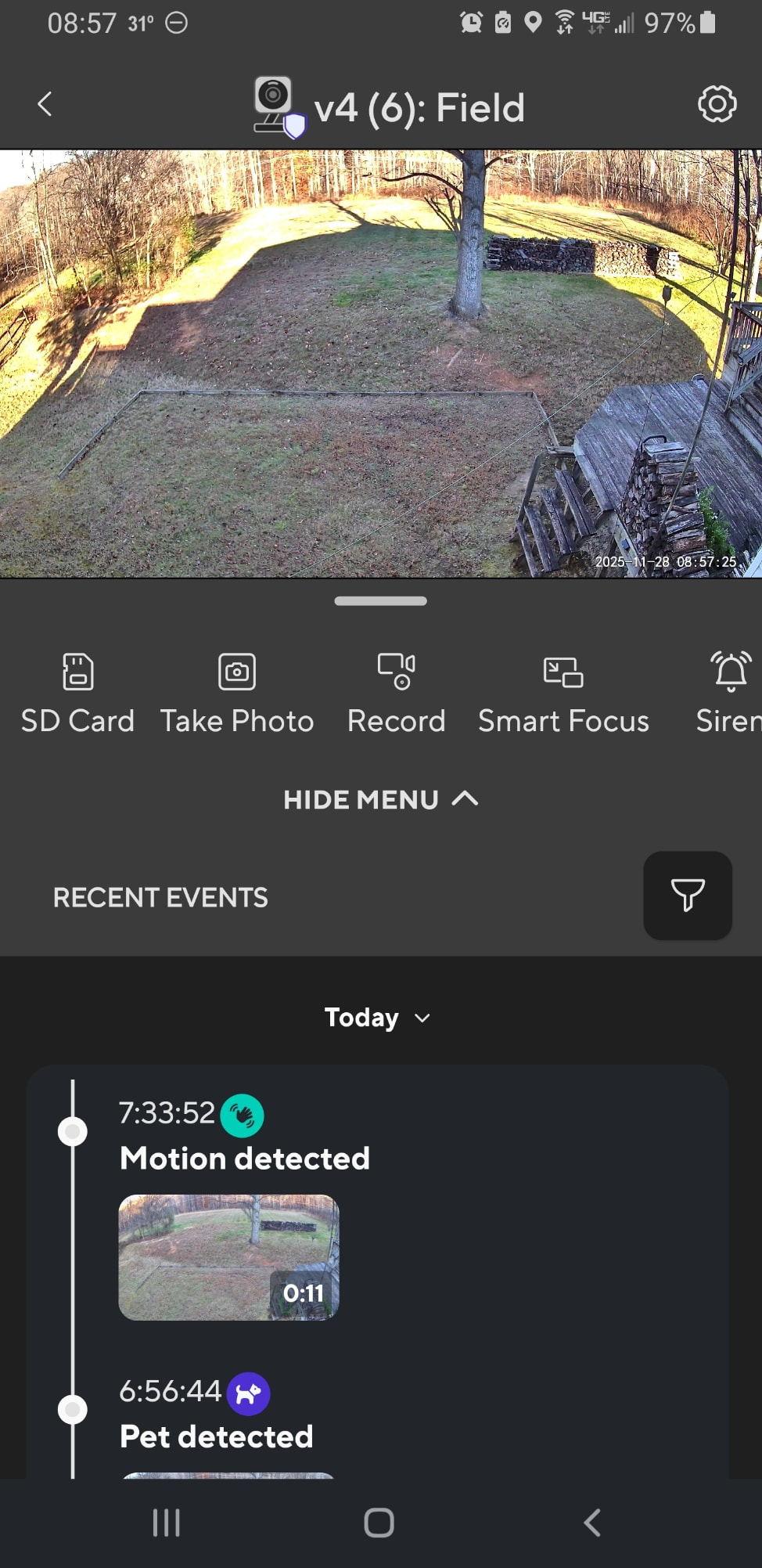
The Siren function itself is an on/off toggle in the icon bar below the live view pane on Cam v4’s Live Stream screen, and I believe that it’s currently hard-coded into the 5th position (from the left). On three different Android phones that I just checked, I don’t see it unless I swipe that bar right-to-left to expose it: Those phone displays are narrow enough that only the first 4 icons in the strip show. On a tablet with a wider screen (but also using an older app version), I see the entire icon bar at once without swiping. I mention this because it’s likely you wouldn’t see the Siren button unless you’re intentionally looking for it, depending on your phone screen’s geometry and how much of the “menu bar” is displayed on the Live Stream screen.
2 Likes
I’ve had my V4 since May 2024 and the siren has never been an issue. Never has gone off unless I wanted it. I really don’t understand what is the issue here 
Sometimes, people accidentally push the wrong button. I think it’s funny when I accidentally push the siren button. Most users don’t find that funny at all.
1 Like
I’m sorry, not trying to be difficult but I don’t see how can you accidentally hit the siren button!? You have to swipe the menu to the left to get to the siren button.
Depends on which cam model, app version, how physically wide your viewing device is and screen resolution setting.

1 Like
Is the noise a dull deep “humming or buzzing”? We had that fleet wide about 9 months ago. Wyze initially ignored us until enough people complained. Then they found it. Took a couple of days and intermittently see to occur on part but not all of a person’s camera.
While they were working, I opened a V3 up and disconnected the speaker wire. Then before I closed it, I added a short similar quick disconnect male/female pigtail, and drilled a hole out the back to allow me to turn the speaker off/on via unplugging and plugging the pigtails together. Pictures on here in another post.
Yeah, that’s one of the points I was trying to make in my initial reply. 
I haven’t seen this mentioned earlier in this topic, so I suspect you may be conflating this question about the siren with the issue several months ago that involved viewing certain camera streams on Echo devices.
1 Like
Yes, you are correct. But the sound was coming from the speaker of the camera, when it was connected to stream to an Echo. Slim, but worth mentioning, I think.
This topic was automatically closed 90 days after the last reply. New replies are no longer allowed.