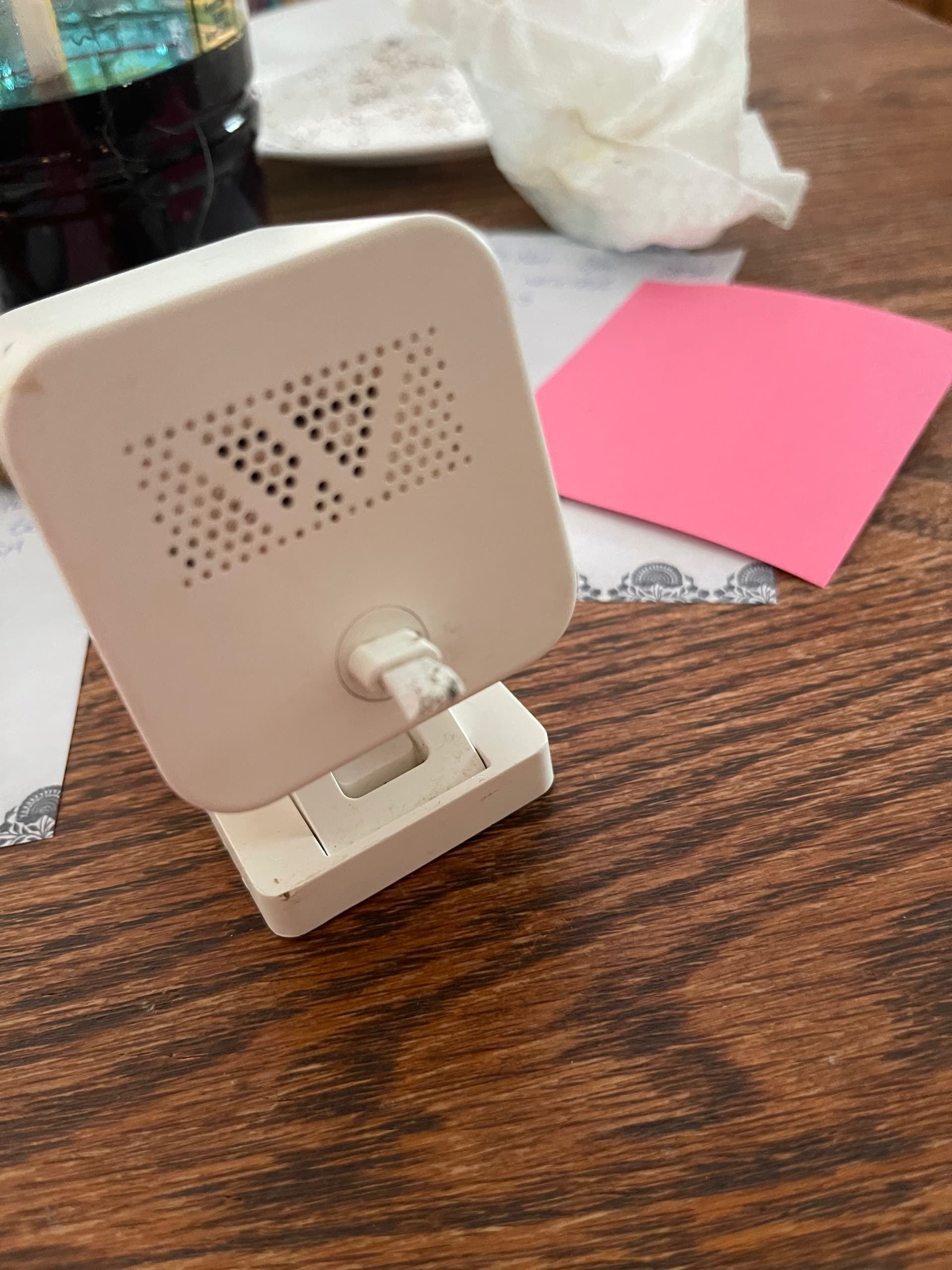
I’ve been using one of my Cam3s for monitoring my foster kittens during the day. I suppose it serves me right for spying, but once they discovered they could climb, jump and nibble, they decided to nibble all the way back to the camera.
Is there any way to replace the connection cord?
as a plug, I bought this particular camera right when v3 came out and it had monitored dozens of foster cats, kittens, dogs and puppies!
It all depends how handy you are and how good you are at soldering electronics. In my opinion, everything is fixable and it all depends on your skill sets.
Your screenshot shows the pigtail the kittens left you with. It’s hard to tell how long it is. To save the camera you need to expose the wires encased in the pigtail. Typically there are two and they are black and red. Your objective is to gently cut the outer coating of of the pigtail without cutting the wires inside. An exacto blade might be the best tool to nibble away with.
Hopefully the pigtail is about a half inch long. Remove as much of the outer coating as you can exposing. exposing the two wires. Now nibble the end of the wires to expose about a quarter inch of the real wire strands.
Your done with the prep. You will need a USB micro female connector. The connector is on one end and bare wire at the other end.
You will also need a method of connecting the camera to the new pigtail. I’m going to just list the possibilities and you determine if you want to proceed. You have a somewhat unique situation as you can do all this work and the kittens can undo it in 5 minutes. Soldering with appropriate shrink wrap would be the sturdiest. But you need a small soldering station. Wire nuts would be fast but kittens could figure that one out quickly and possibly expose bare wires.
Or you could just appreciate the service the venerable V3 has given you and look at a shiny new V4 if and when it goes on sale at Amazon (last week it was $29).
If you decide to do the repair / solder yourself, check out this video. About 7 minutes in shows the inside of where your chewed wire goes into the camera. You might be able to re-attach the good section of your chewed wire to the camera.
If you have Cam Plus Lite and want another Cam v3, I have seen Refurb v3 cameras for $26.99.
All the other responses are correct, but considering you can often get a v4 (better cam) for $25 or even less, maybe the kittens did you a favor. The only reason to keep a v3 at this point is if you have a free Cam Lite subscription (v4 will not work with that) and want to keep the cloud recording. Personally I just use SD cards in all my cams, no subscription (free or paid). I can’t think of any benefits to Cam Lite / Cam Plus for monitoring kittens.
With SD card you just see pictures that you can scroll through quickly, then the video loads pretty quickly when you tap “sd card”, maybe 1-2 seconds. You can then use the forward and back arrows overlaid on the video to skip to the next/previous event (or it has a 30 second forward and back skip too).
Not sure how this compares to Cam Lite/Plus as I’ve never used it.
I would think it would be faster than cloud since it is local but not certain. Probably also depends on the speed of the SD card, how good the wifi connection is, etc.