The issue has happened at some point for all of my 9 cameras. All cameras are WIFI connected. I find no relationship to location or nearness to my MESH network. Recently two cameras physically closest to my MESH WIFI network have stopped seemingly more frequent than the others. Sometimes the issue is with my farthest cameras.
Thank you, I wasn’t thinking through the speed issue properly. It very well may be my WIFI overloaded. I need to look into that more carefully.
1 Like
If you have the option of setting your nodes (satellites) up hardwired to the main router, then spread your cameras and other devices across them, it gives you potentially a lot more bandwidth, but understood that isn’t an option for many who use mesh.
Keep in mind also that each wireless node/repeater gets only half the available bandwidth so the more devices you can get on your main router the better.
1 Like
Dave,
Thanks to your input, I believe I have verified that my WIFI loading is the issue. (In my frustration, I was confident that it had to be a Wyze problem). I discovered that EURO mess sells analytical capability on their mess. It shows that my mess loading periodically goes to almost 100%. I still have CAT5 cables throughout my house, I move what I can off of WIFI. Just learned a bunch more about my system thanks to you!
EURO Mesh not mess…
EERO, not EURO, right? 
Yes eero.. 
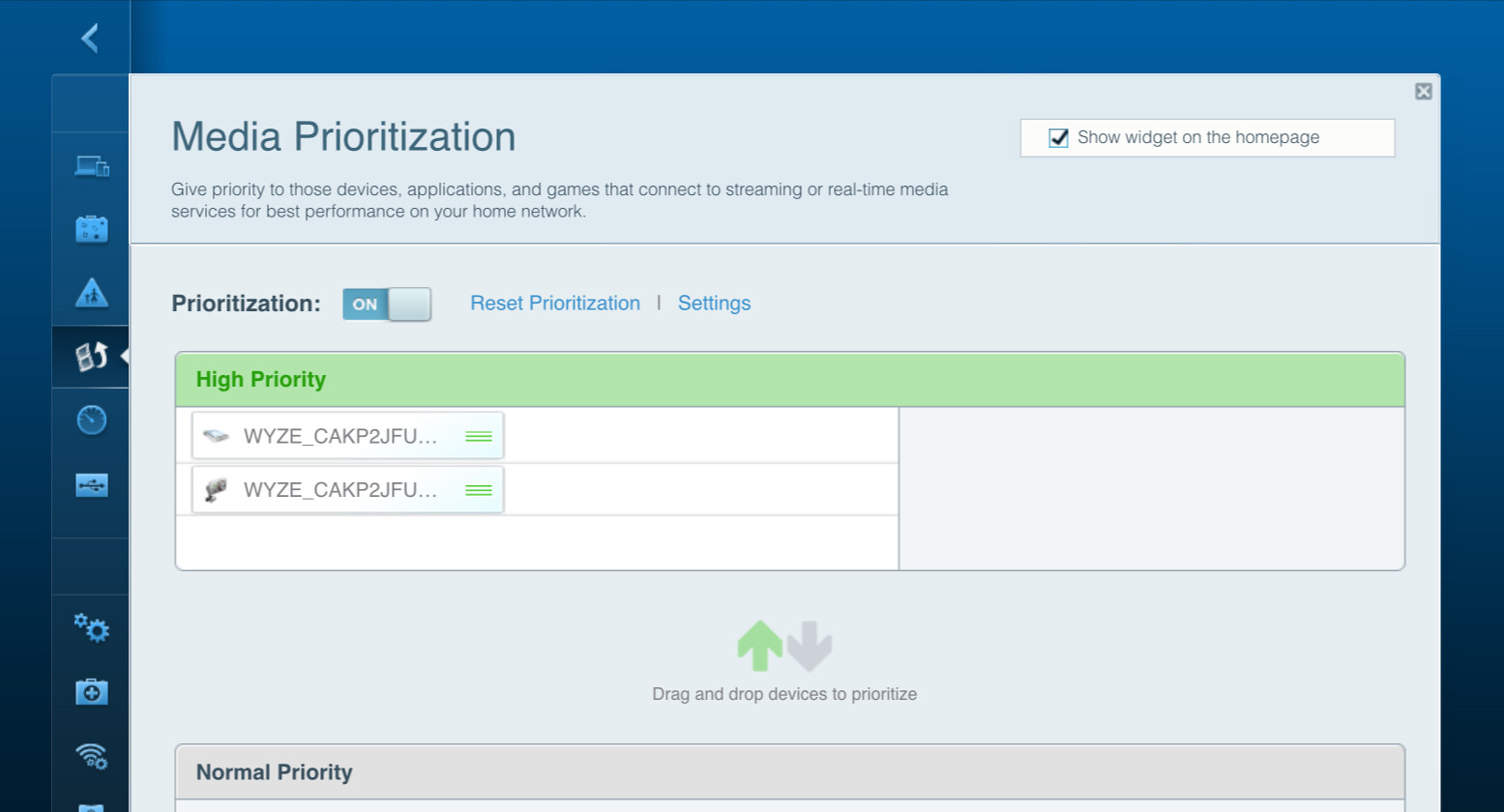
Check your WiFi router settings to see if you can designate certain devices as priority. In my older Linksys router, I assign 2 of my furthest away Wyze v3 cameras as Media Priority which for me seems to work well.
1 Like
Unfortunately Eeros are not very customizable. Even though they are good routers they’re more of subscription based service.
1 Like
My Linksys EA6350 is basically the same as the Linksys AC1200. It is old but it works great with all of my IoTs (including Wyze v3 cameras). I want to upgrade my router, but am afraid of spending more money and being less happy with the performance. If anyone wants a Linksys AC1200 it is currently $9.99 on Woot.
If you can use those to connect the mesh nodes to the main router, that may help things too, taking the backhaul off the wifi frees up spectrum for other stuff and also doubles the bandwidth available to the nodes. Obviously if you have stuff with ethernet ports that never moves, use that as much as possible. My wifi printer is connected via ethernet, same for my TV/stereo/blu-ray/etc. They have wifi but don’t need the portability.
Unfortunately based on @habib’s comments it doesn’t seem like you can control the distribution of devices across the various nodes. If you have a lot of devices, might be worth looking into a mesh system that lets you do that (or possibly even going with one powerful main router that can cover the whole area, depending on your layout).
I was only guessing as I don’t have extra nodes on either of my mesh routers. Single routers at both properties gives me plenty of coverage as I find Eeros to have exceptionally strong antennas.
This topic was automatically closed 90 days after the last reply. New replies are no longer allowed.