Suggestions Looking for a WiFi monitor for Wyze Cams
I’m wondering if anyone has any suggestions on a stand alone WiFi monitor that I can set on my recliner side table to have opened to monitor my Wyze cameras ?
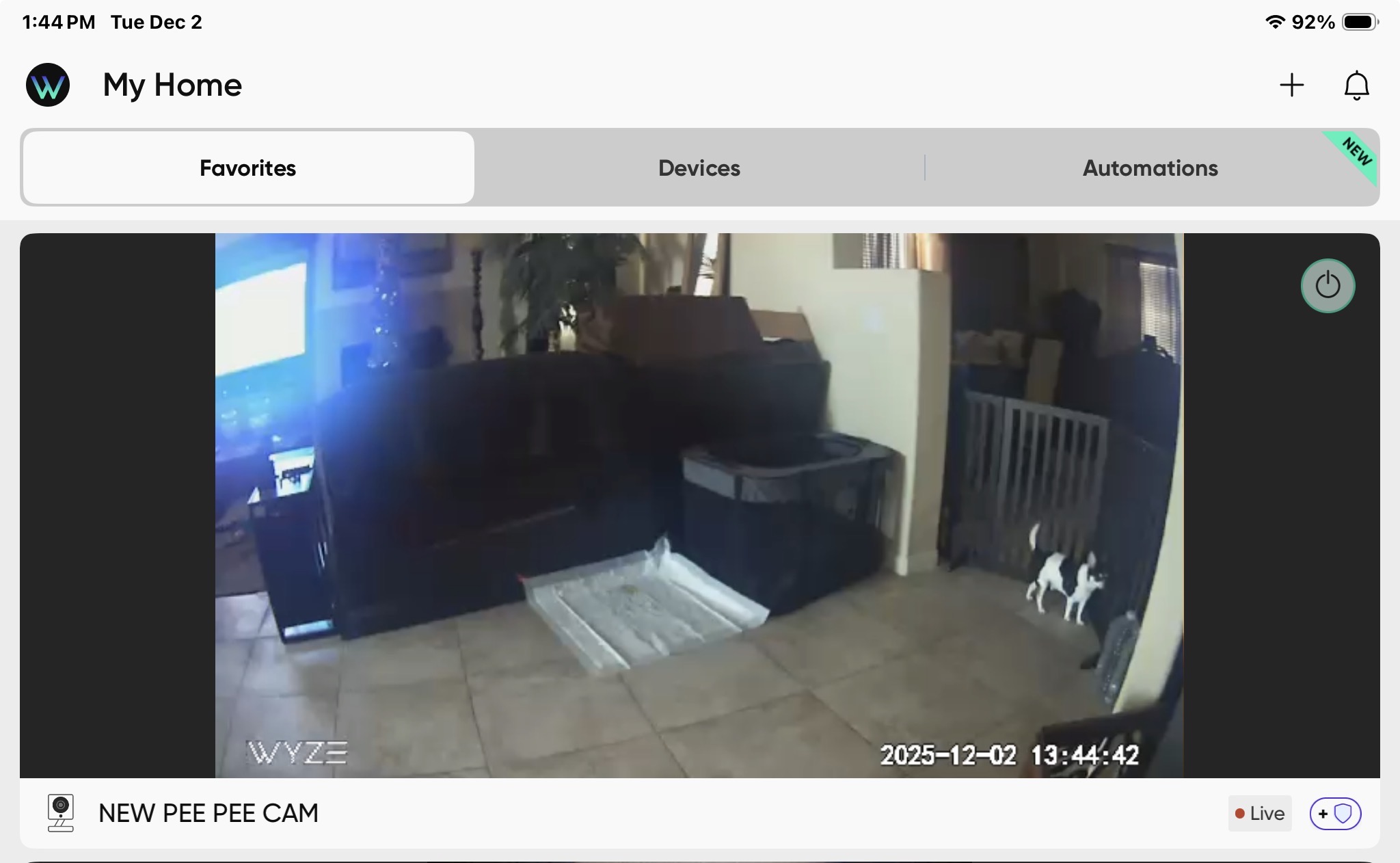
When I sit on my recliner I use my iPad to monitor but I have to constantly which between what I’m looking at or doing on my iPad back to checking an alert on my cameras and one of my cameras is a Pee Pee cam behind my recliner for our new puppy that is aimed at his Pee Pee Pad so he doesn’t eat/grab his poo poo lol
BTW my side table has built into it power and usb ports
Tiny Cam running on a cheap android tv device (HDMI stick like certain amazon fire sticks and others) plugged into the TV or computer monitor of your choice.
Or if you just want something small, there are a lot of cheap android tablets out there that will run the wyze app fine, grab a cheap case with a stand and set it on the table, just leave it plugged in all the time.
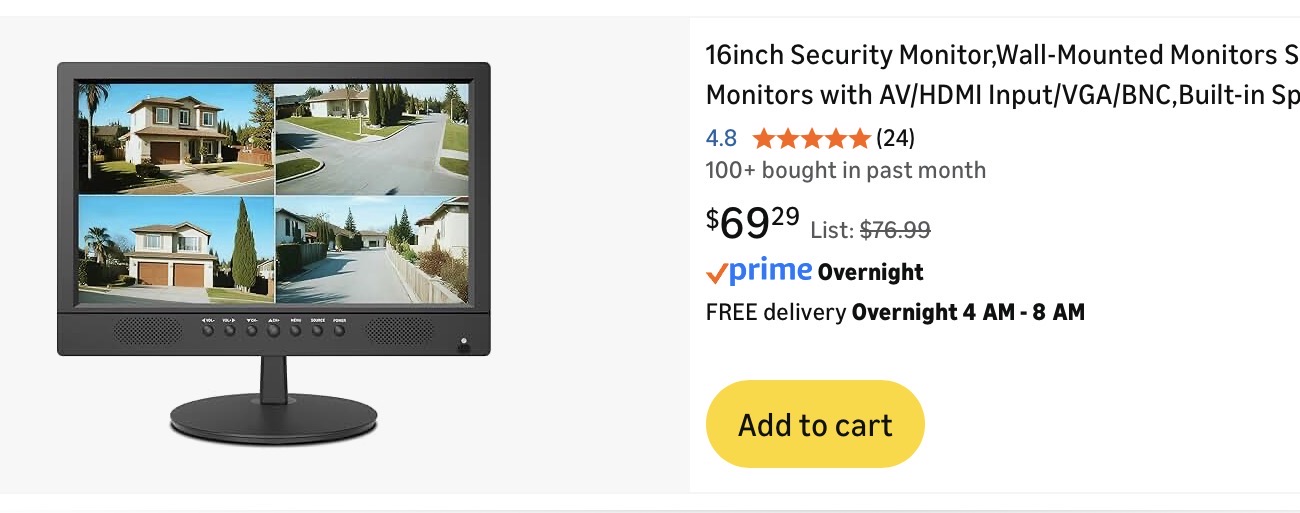
Thank you it sounds like the Android tablet might be a better choice for me. I’m just not very familiar with android devices because I’ve been using IOS since the early 90’s. I was hoping there might be a monitor on stand you plug into AC or USB run on WiFi. Like this picture
You’d have to find a small Android TV if you wanted something like that (which is basically the same as a TV with android stick plugged in). The one you posted is for taking inputs from wired cams. I think the tablet will be your easiest bet and it is more flexible as it can run the wyze app natively instead of a 3rd party one like Tiny Cam etc.
Do you have Cam Plus, Cam Unlimited, or Cam Pro on your Cameras?
Asking because you can get virtually any tablet, like the ONN Tablet from Walmart or the Pixel Tablet and then go to Chrome and utilize Wyze’s WebView portal.
You can also load the Wyze App on the tablet and then stream grouped Cameras as well. This does not require any of the Cam Services.
Note: The Pixel Tablet has an optional magnetic stand. But any Tablet can be placed on a Picture Frame Holder to act as a stand. Something like these:
I’m guessing that was just the first thing that came up on google when @seapup was looking for an example. Ace is pretty overpriced for just about everything, though occasionally they’ll send out some great coupons/rewards and I’ll stop by. I had two $10 off $10 recently and it made even their crazy prices on batteries a good deal.
My post wasn’t meant to be a recommendation. Some users have never heard of pee pee pads and report topics/posts like these as spam. Just saving myself some cleanup work (pun intended).
So when many of the rest of us were using MS-DOS and early versions of Windows, you went into the future?! Amazing!
If you do decide on the low-end Android tablet route, please pay attention to the specifications—I think RAM, especially, can be a clue, but also the particulars of the operating system are helpful if you can find those in the specifications—because Android versions of the Wyze app since v3 have required a 64-bit OS, and some lower-end tablets I’ve seen run “Android (Go edition)” (“Android Go”). I believe that variant may be 32-bit only as it’s intended to be installed on devices with more limited resources than a fuller-featured phone or tablet.
Welcome to the Forum, @lorie_dejoria! Good luck with the pup!
So I’m 60yrs and yes I knew what I was writing re: the IOS because the last time I wrote MS-DOS etc or floppy disk I had to keep explaining what those were. Which I used at work. So instead I wrote a something the masses would be familiar with.
But I’ll still blow you backwards the 1st introduction to a computer/internet I got for at home was a Web-Tv and had a Motorola brick size cell phone.
But glad to handout and giggles I can in today’s world
I think they were just giving you a hard time for saying iOS instead of MacOS - Mac has been around a lot longer, iOS is from the 2000s.
Even though you’re in the Apple ecosystem, I think this might be a case where it makes sense to use an android tablet for this purpose. You can get an 11” lenovo for $100 ish frequently, and there are even cheaper no name ones out there. But as already mentioned, if you want to run the 3.x Wyze app you need to make sure the tablet supports 64 bit android. Since we don’t know how long the 2.5 app will keep working, it would make sense to run 3.x.
Or you can get a small even cheaper tablet (heck even an old phone would probably work), ensure it has HDMI output support, and connect it via USB-C to HDMI to a small monitor or TV too.
That’s assuming you want to use the wyze app. If you want to use tiny cam you have other options too, like a streaming “stick” or TV device connected to a small monitor or TV.
A Hello Baby monitor might be good to watch your puppy. My wife and I have a Hello Baby monitor for when we babysit our 16 month granddaughter. Even though I have Wyze cameras, the Hello Baby screen lights up and we can hear her when she makes noise. The camera connects directly to the included monitor.
You can get units with a bigger screen if you want.
Thank you I’ll remember that for this forum. It’s wild with the internet now a days you have to watch everything you write not to get backlash or a goof lol
 lol
lol 






 Good luck with the pup!